Custom software connected to Microsoft Dynamics 365 Business Central
Business Central, the successor of Dynamics NAV (the old Navision), is usually the centre of the company that runs it. We build what is missing around it and connect it, so each piece of data lives in one place.
1What usually happens around Business Central
Business Central handles accounts, purchasing, sales and stock well. What it usually does not handle is what is specific to each company: the portal where customers place orders, the app a technician uses to close a job on site, the document that arrives by email and someone has to transcribe, or the report management wants every Monday and somebody builds by hand.
That work ends up in spreadsheets and in people copying data from one screen to another. Customising Business Central itself is possible, but it means programming in its language (AL) and going through whoever maintains it for you. Often it makes more sense to build the piece separately and connect it.
2How it connects
According to Microsoft’s official documentation, Business Central offers a standard REST API (version 2.0) designed precisely for connecting third-party applications. In the cloud version it is enabled by default; on-premises it has to be enabled. What we have checked and how we use it:
- The standard API exposes customers, vendors, items, sales and purchase orders and invoices, among others. It is the route we prefer because the vendor documents and maintains it.
- Webhooks: Business Central can notify another system when a customer, item, order or invoice is created, changed or deleted. The notification arrives with a short delay and the subscription has to be renewed; we account for both in the design.
- If the standard API lacks a field you need, Microsoft states it cannot be extended: a custom API has to be written in AL. That is done with your Business Central partner or with their agreement.
- If your version is old (Dynamics NAV on your own servers), the options change. We check during the diagnosis before promising anything.
3Cases we solve
We do not sell a generic connector. We build the piece your operation needs and tie it to Business Central. Some examples of what makes sense to do this way:
- An ordering portal for customers or sales reps that creates the sales order in Business Central with the prices and terms already held there.
- Reading supplier delivery notes and invoices in PDF and checking them against the purchase order before anyone posts them.
- A web or mobile app for technicians and drivers that looks up customers and items and sends back what was done.
- Alerts when something changes (a blocked customer, an overdue invoice, an item out of stock) to whoever has to act.
- Reports that build themselves from Business Central data and other sources.
4What to check first
Three things: whether your Business Central is in the cloud or on your own servers; who your partner is and what customisations already exist; and which licences and permissions another application needs to read and write. With those answers we know whether the connection is direct or has to go through your partner first.
What we do not do is change your Business Central configuration on our own. We are not a Microsoft partner or a certified Dynamics partner. We work alongside whoever maintains it and document everything, so that person knows what we connected and why.
5What we have built that resembles it
Certia Group
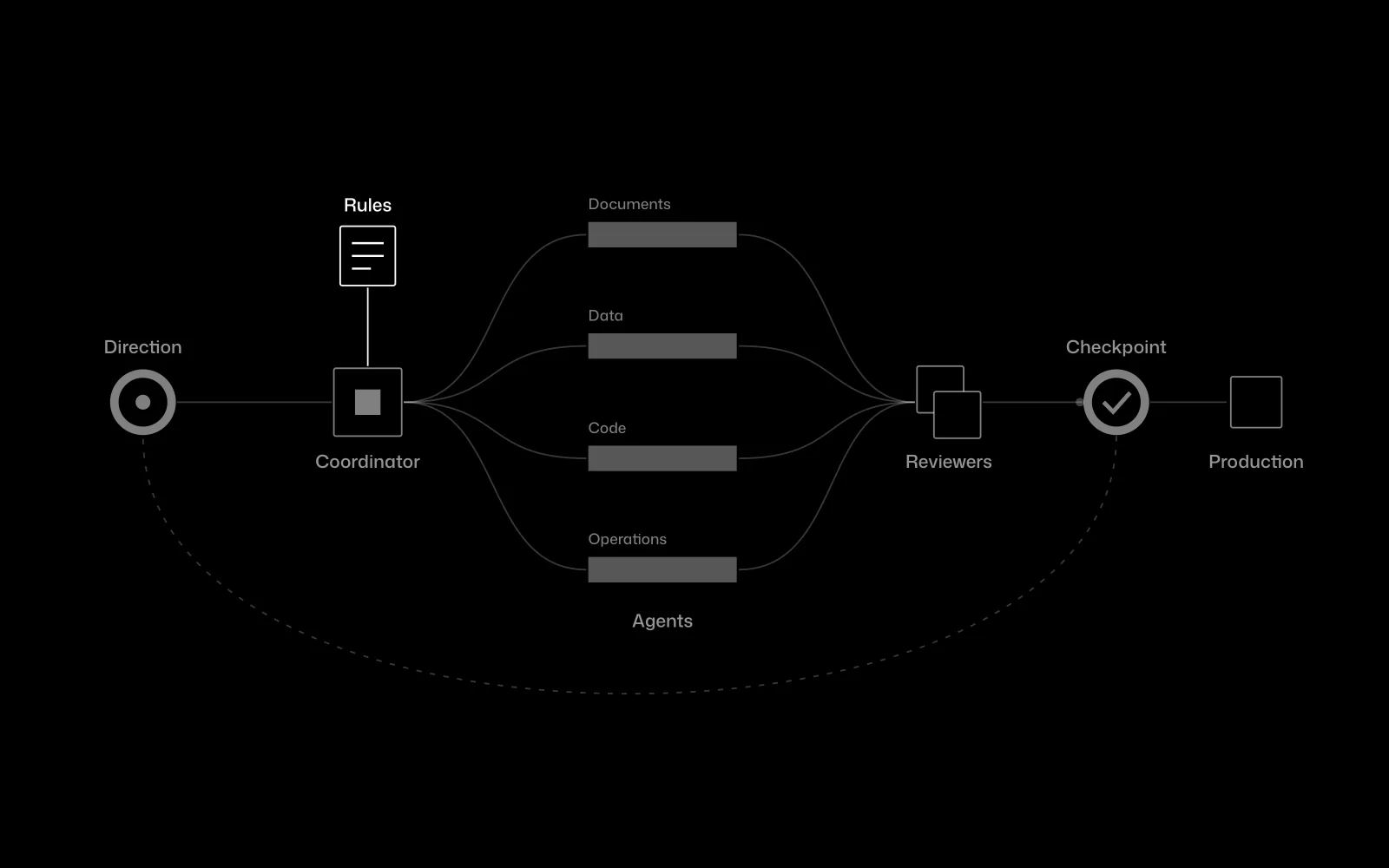
A team of AI agents inside an engineering firm
At Certia Group we integrated a team of AI agents into an engineering firm’s daily work, operating on email, the CRM and reports, with a person approving every step that matters. It is not a Business Central integration, but it is the same job: getting several systems to talk without anyone copying data.
In use
Farmacta
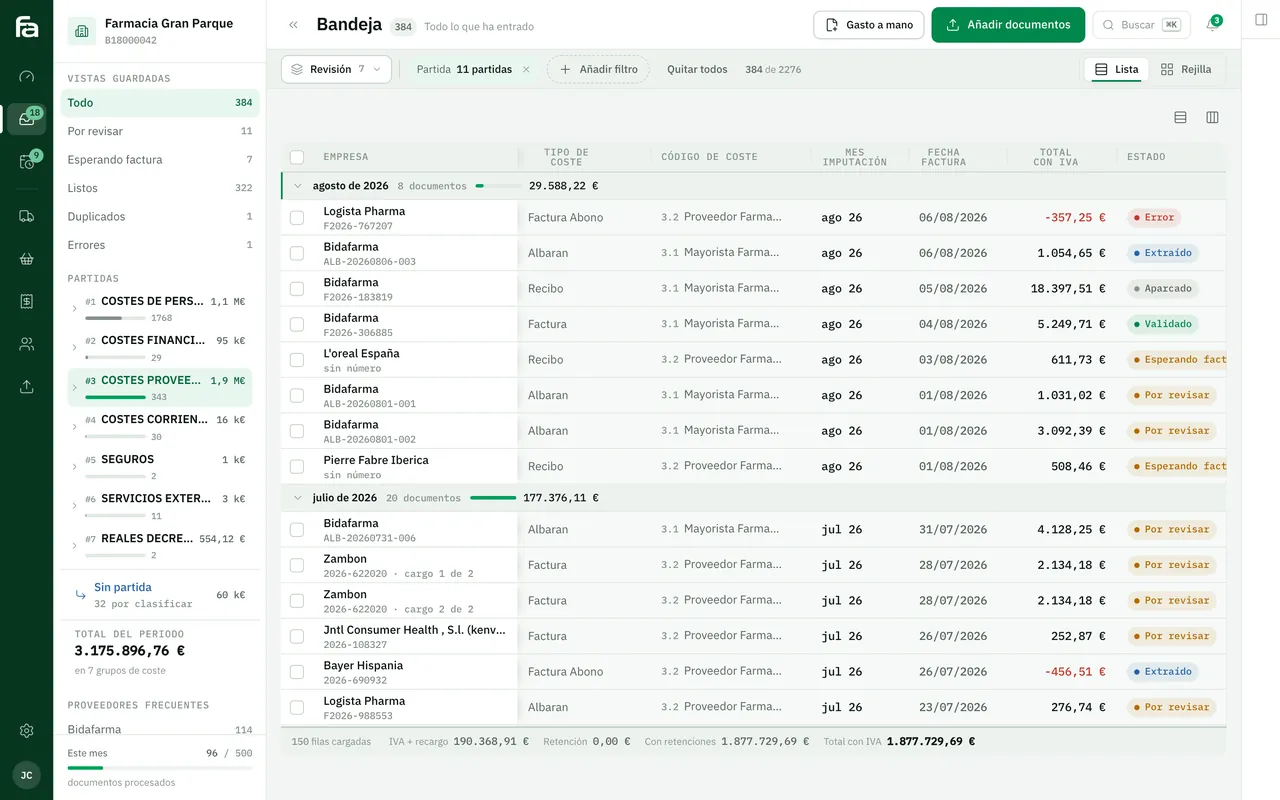
A pharmacy’s back office, built on its paperwork
Farmacta reads PDF invoices and delivery notes from wholesalers and laboratories and leaves the accounting data ready for review. In a company running Business Central, it is the piece that would come before posting the purchase invoice. We do not yet have a published case with Business Central.
In use at its first pharmacy
6Frequently asked questions
Are you a Microsoft partner?
No. We are not a Microsoft partner or a certified Dynamics 365 partner. We build custom software and connect it to Business Central through the routes the vendor documents, in coordination with your partner if you have one.
Does it work with Navision or Dynamics NAV on our own servers?
It depends on the version. Older versions have other connection routes and sometimes no reasonable one. We check during the diagnosis and tell you before proposing anything.
Does anything have to change inside Business Central?
If the standard API covers what you need, no. If you need a field it does not include, a custom API has to be created inside Business Central, which we do with your partner or with their agreement.
What happens if the connection fails?
The data that did not go through is set aside and the system alerts a person. Every transfer is logged: what was sent, when and with what result.
How much does it cost?
We do not publish prices or timelines. They depend on what has to be built and on what your installation allows. After the diagnosis we give you a fixed-scope proposal.
Tell us what you do by hand next to Business Central
With a real example of data that is copied from one place to another today, we can tell you whether the connection is direct or needs your partner first.
Tell us your problem