Custom software connected to Sage 50 and Sage 200
If your company runs its accounts or operations on Sage, the sensible move is not to switch programs but to make what happens outside it arrive on its own. Here is how each edition is usually connected and which cases we solve.
1Two programs with the same surname
In Spain, “Sage” can mean many things. The two we see most in SMEs are Sage 50, aimed at small businesses and very common in accounting firms and shops, and Sage 200, an ERP for mid-sized companies with stock, manufacturing or project modules. They share a brand but they are not connected in the same way, and that is the first thing we look at.
Every installation is also different: version, edition, licensed modules, whether it runs on an office server or in the cloud, and whether a reseller maintains and has customised it. Those answers decide the integration route before any technical preference of ours.
2How it is usually connected
Sage publishes an API for Sage 200 in Spain on its developer portal, with references such as the sales API. According to Sage’s documentation, access to that API goes through its developer programme and credentials granted by Sage itself, and it may require specific licences. Sage 50 is a different story and depends on the version; we do not assume an API exists until we have checked your installation.
- The official API, when your edition and licence include it: our preferred route because it respects the program’s rules.
- Import and export files the program itself accepts, with preparation automated and every file checked before loading.
- Third-party connectors approved by Sage, if you already have one or it fits better than a custom build: we will tell you.
- Reading the database, only with your reseller’s agreement and never writing to it without that agreement.
3What we solve
What we build lives outside Sage and hands it data already in order. The best-fitting projects are these:
- Supplier invoices arriving as PDFs by email: the system reads them, proposes the entry and a person approves it before it reaches Sage.
- Orders from an online shop, a customer portal or WhatsApp turned into sales orders without retyping.
- Reports and dashboards that combine Sage data with figures that live in spreadsheets today.
- Apps for sales reps or technicians to check Sage customers, prices or stock from their phone.
4What to check first
Before proposing anything we ask for four things: the exact Sage version and edition, the modules and licences you have, who maintains the installation and where it is hosted. That tells us whether the API is an option or whether we work with files.
If you have a Sage reseller, we involve them from the start. They know your installation’s customisations and must approve any access; we do not touch the program’s internal configuration.
5What we will not tell you
We are not a Sage reseller or certified partner, and we do not yet have a published case with Sage. Nor will we tell you the connection is simple before we have seen your installation. What we do is build in phases, with changes switched off until verified on your data and a log of every record that moves between systems.
6What we have already built
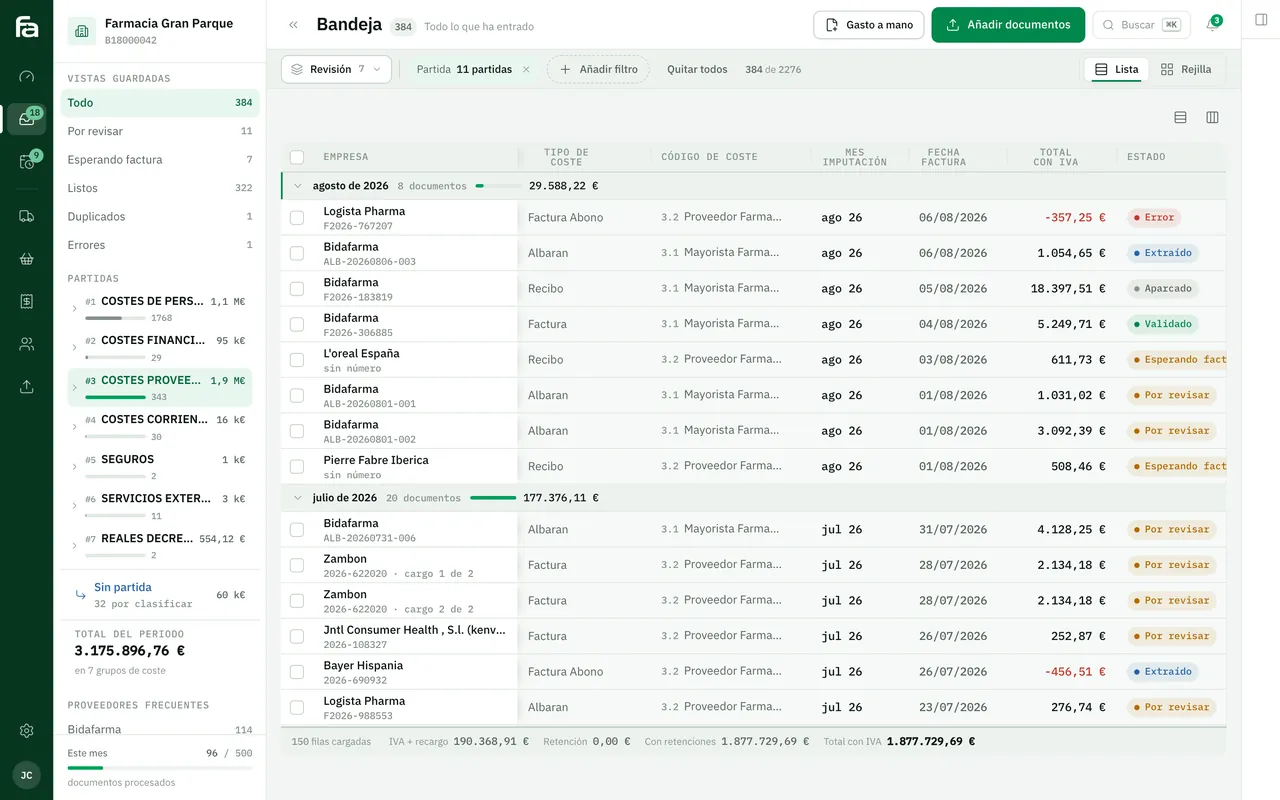
Farmacta
A pharmacy’s back office, built on its paperwork
Farmacta reads invoices and delivery notes from wholesalers and laboratories as PDFs and leaves the accounting data ready for review. That is exactly half of an integration with an accounting program like Sage; the other half is the connection, which depends on your installation. It is not a Sage case.
In use at its first pharmacy
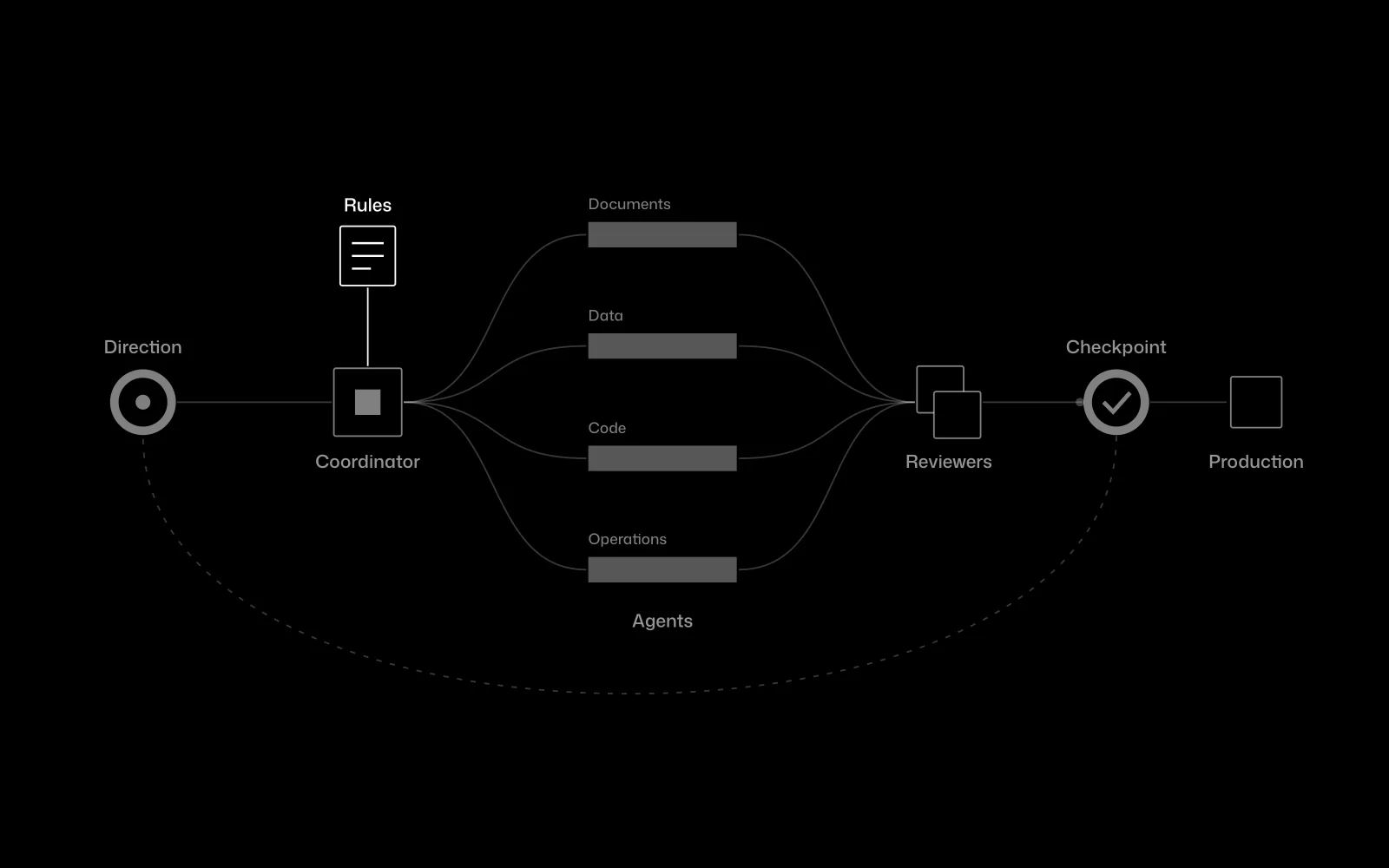
Certia Group
A team of AI agents inside an engineering firm
At Certia Group we integrated a team of AI agents into an engineering firm’s daily work, with a person approving every step that matters. We apply the same principle to any data about to enter your accounts.
In use
7Frequently asked questions
Does it work with both Sage 50 and Sage 200?
We can work with both, but not in the same way. Sage 200 has an API documented by the vendor; with Sage 50 the route depends on the version. We confirm it during the diagnosis with your installation.
Do I need to buy anything else from Sage?
Possibly. Access to the Sage API is subject to its developer programme and your edition’s licences. We tell you before starting so you can raise it with your reseller.
Will you modify my Sage?
No. What we build lives outside and talks to Sage through whatever route your installation allows. Its internal configuration stays with whoever maintains it.
Are you a Sage partner?
No. We are not a reseller or certified partner of Sage, and we say so from the start.
How much does it cost?
We do not publish prices. After the diagnosis we give you a fixed-scope proposal.
Tell us which Sage you run and what gets retyped
With the version, the modules and one example of data that is keyed in twice, we can tell you which connection route is possible.
Tell us your problem