Software for accounting firms: client documents that arrive in order
Half the work of an accounting firm is getting clients to send their paperwork on time and in order. We build the system that receives it through any channel, reads it, classifies it and flags what is missing before the deadline is upon you.
1How the paperwork arrives today
Every client sends things their own way: some by email in a single PDF with everything in it, others as photos on WhatsApp, others in a shared folder or an envelope at the end of the quarter. Issued and received invoices, receipts, bank statements, contracts, payslips and official notices are mixed in the same batch.
At the firm someone opens each batch, splits the documents, names them, files them in the client’s folder and enters them in the accounting software. Then they chase the client for what has not arrived, usually in the busiest weeks.
2The bottleneck
It is not in the bookkeeping, which your team masters, but before it:
- Splitting and classifying documents that arrive mixed up and with meaningless file names.
- Typing in invoice data that was already in a readable PDF.
- Knowing, client by client, what is missing to close the quarter.
- Writing the same reminders over and over, in a different tone for each client.
3What we build
We start with a real quarter’s submission from two or three representative clients, the tidy one and the chaotic one. From there we build in phases:
- A single inbox per client (email, upload link or WhatsApp) where everything received is stored with its date.
- Reading and classification: the system splits the documents, recognises their type and extracts issuer, date, net amount, taxes and total from invoices, flagging anything uncertain.
- A list of what is missing per client and period, compared with what each one usually sends.
- Reminders drafted for the adviser to review and send, and export of the data in the format your accounting software reads.
4What stays with the adviser
Accounting and tax judgement is yours. The system does not decide whether an expense is deductible or file anything with any authority: it prepares the material so your team can review it faster. Anything it cannot read with confidence stays in a review tray with the document beside it, rather than entering the books without anyone looking.
Your clients’ data is sensitive. We tell you where it is stored, who can see it and how it is deleted, and we put it in writing before we start.
5What we have already built that resembles it
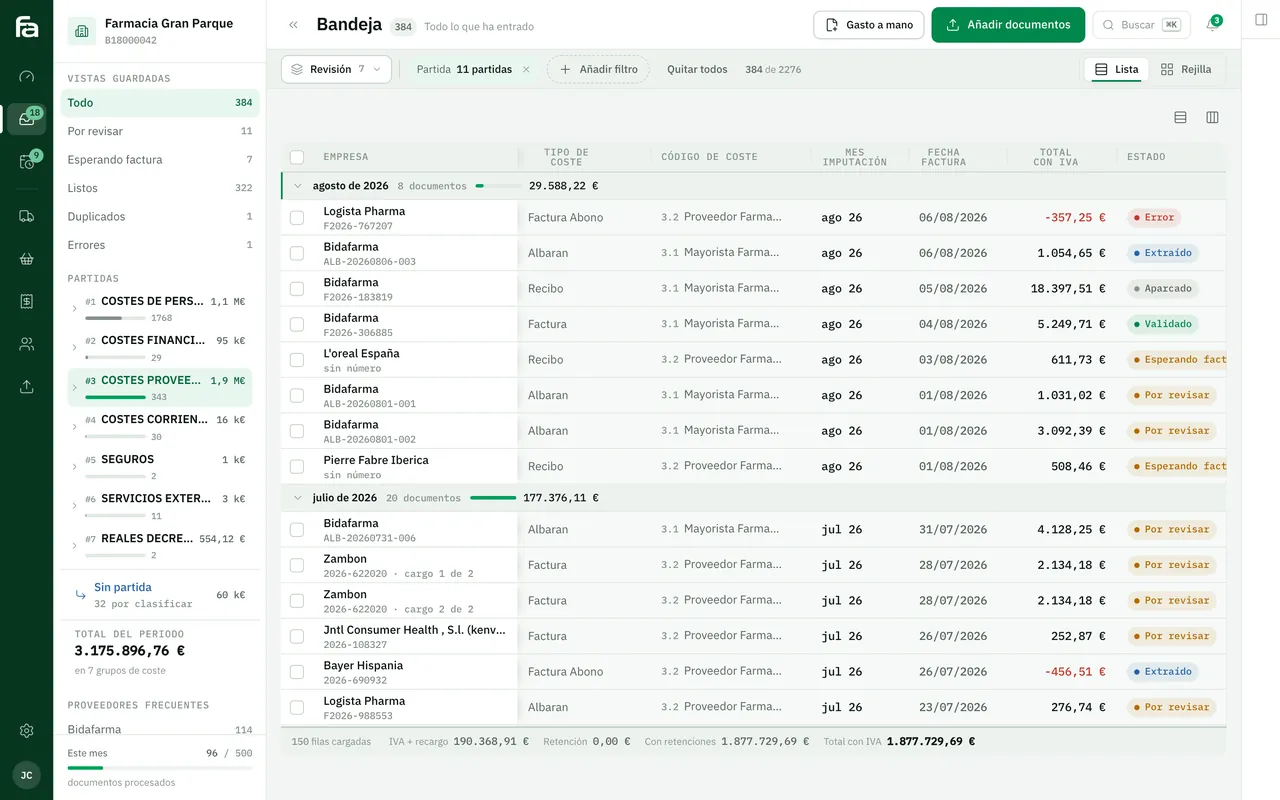
Farmacta
A pharmacy’s back office, built on its paperwork
Farmacta reads invoices and delivery notes from wholesalers and laboratories as PDFs, extracts the accounting data and leaves it ready for review. That is exactly the core of an accounting firm’s document intake. We do not yet have a published case with an accounting or tax firm.
In use at its first pharmacy
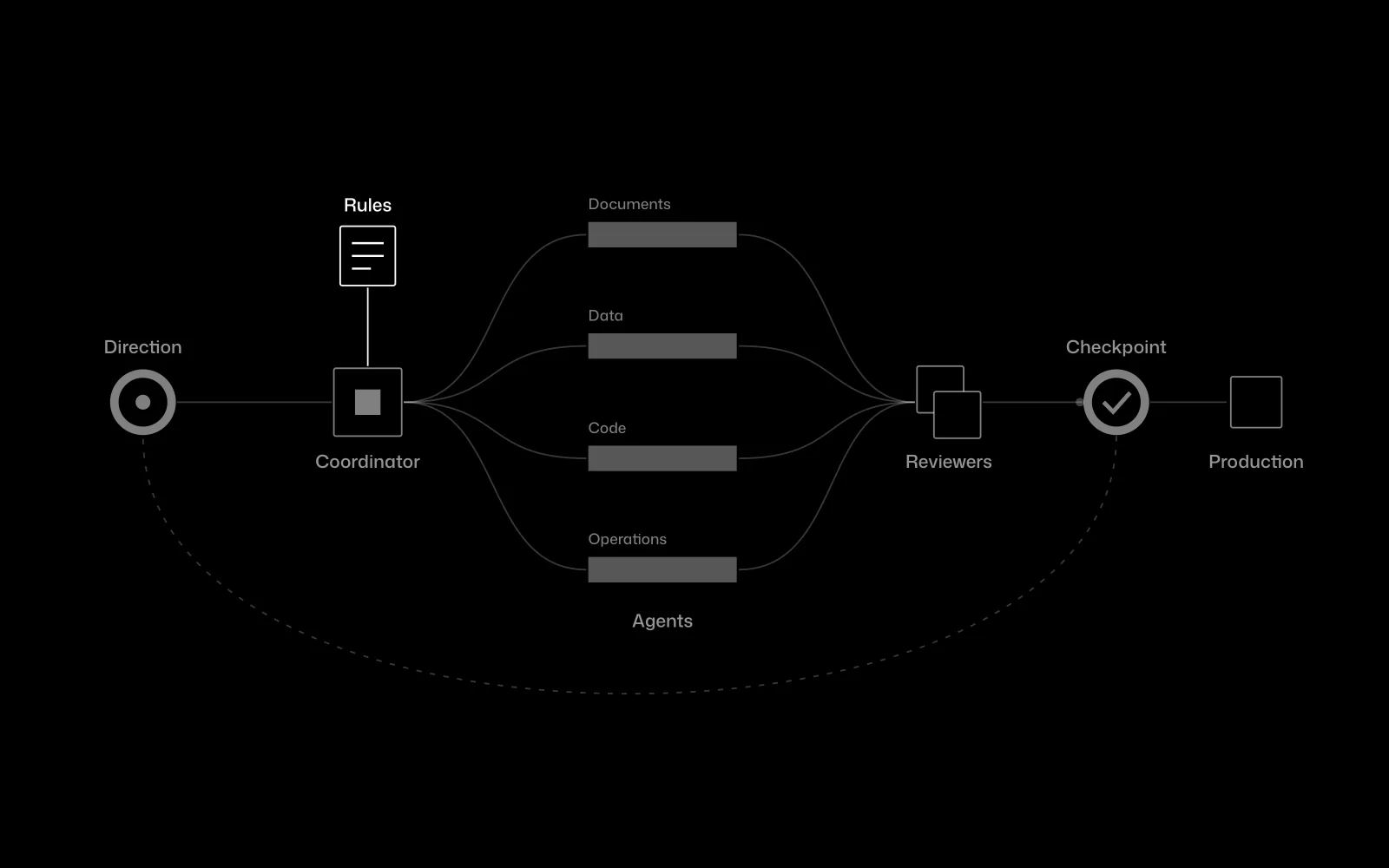
Certia Group
A team of AI agents inside an engineering firm
At Certia Group we integrated a team of AI agents into the daily work of an engineering firm, with a person approving every step that matters. It is the same split we propose in a firm: the system prepares, the adviser decides.
In use
6Frequently asked questions
Does it work with a3, Sage or other accounting software?
It depends on what each program can import. Many accept files in a defined format or offer some connection route; we check with your specific version during the diagnosis.
Do our clients have to change how they send things?
As little as possible. The inbox accepts email, photos and files; what changes is what happens inside the firm, not what the client does.
What about paper receipts or blurry photos?
They are read if the image allows it. Anything that cannot be read with confidence is flagged for review and, if needed, the client is asked for another photo.
Does Verifactu affect this?
Verifactu concerns software that issues invoices, not the intake of documents at the firm. If your clients ask about it, we have a separate guide.
How much does it cost?
We do not publish prices or timelines. After the diagnosis we give you a fixed proposal.
Send us a chaotic quarter
With the real submission from one disorganised client we can tell you which part of the intake can run on its own and which cannot.
Tell us your problem