Google and Excel spreadsheets connected to your software, without losing the sheet
You do not always need to leave the spreadsheet. Sometimes it is enough for it to stop being filled in by hand: data arriving on its own from a form, an email or your management software, and leaving it for wherever it is needed.
1When connecting makes more sense than replacing
Some spreadsheets work: the team knows them, they are flexible and nobody wants to lose them. The problem is not the sheet but what happens before and after it: someone copies data into it from an email or a form, and then someone copies it again into the management software.
If what fails is the sheet itself (crossed versions, formulas nobody dares touch, several people editing at once), what you need is to move to software. We cover that on another page. This one is about the other case: keeping the sheet and removing the manual work around it.
2How it connects
Both vendors document official routes for other applications to read and write their sheets:
- Google Sheets has an API to create spreadsheets and read and write cell values. Gmail, Drive and Google Forms have their own APIs too.
- In Microsoft 365, Microsoft Graph can read and modify Excel workbooks stored in OneDrive or SharePoint: tables, ranges and charts. It only works with the .xlsx format, not the older .xls.
- If the sheets live on someone’s computer or on a network share, the connection is more fragile. We usually suggest moving them to Drive, OneDrive or SharePoint before connecting anything.
- In every case the application accesses them with limited permissions that you grant and can withdraw.
3Cases we solve
Some typical jobs in this area:
- Web or Google forms whose answers reach the sheet already checked and, where relevant, your management software.
- Documents arriving by email (orders, invoices, job sheets) read and written into the sheet instead of copied by hand.
- A tracking sheet that updates itself with data from your management software or online shop.
- Weekly reports generated from several sheets and sent to the right people.
- Alerts when a value in the sheet crosses a threshold: low stock, an overdue payment, an approaching deadline.
4What to check first
Where the sheets are stored, who edits them, which parts are typed by hand and which are formulas, and whether your Google Workspace or Microsoft 365 account allows access by an external application (in some companies the administrator blocks it). With that we know what can be automated without breaking what already works.
We are not Google or Microsoft partners. And if the diagnosis shows the sheet has reached its limit, we will say so: connecting a sheet that cannot cope only postpones the problem.
5What we have built that resembles it
Certia Group
A team of AI agents inside an engineering firm
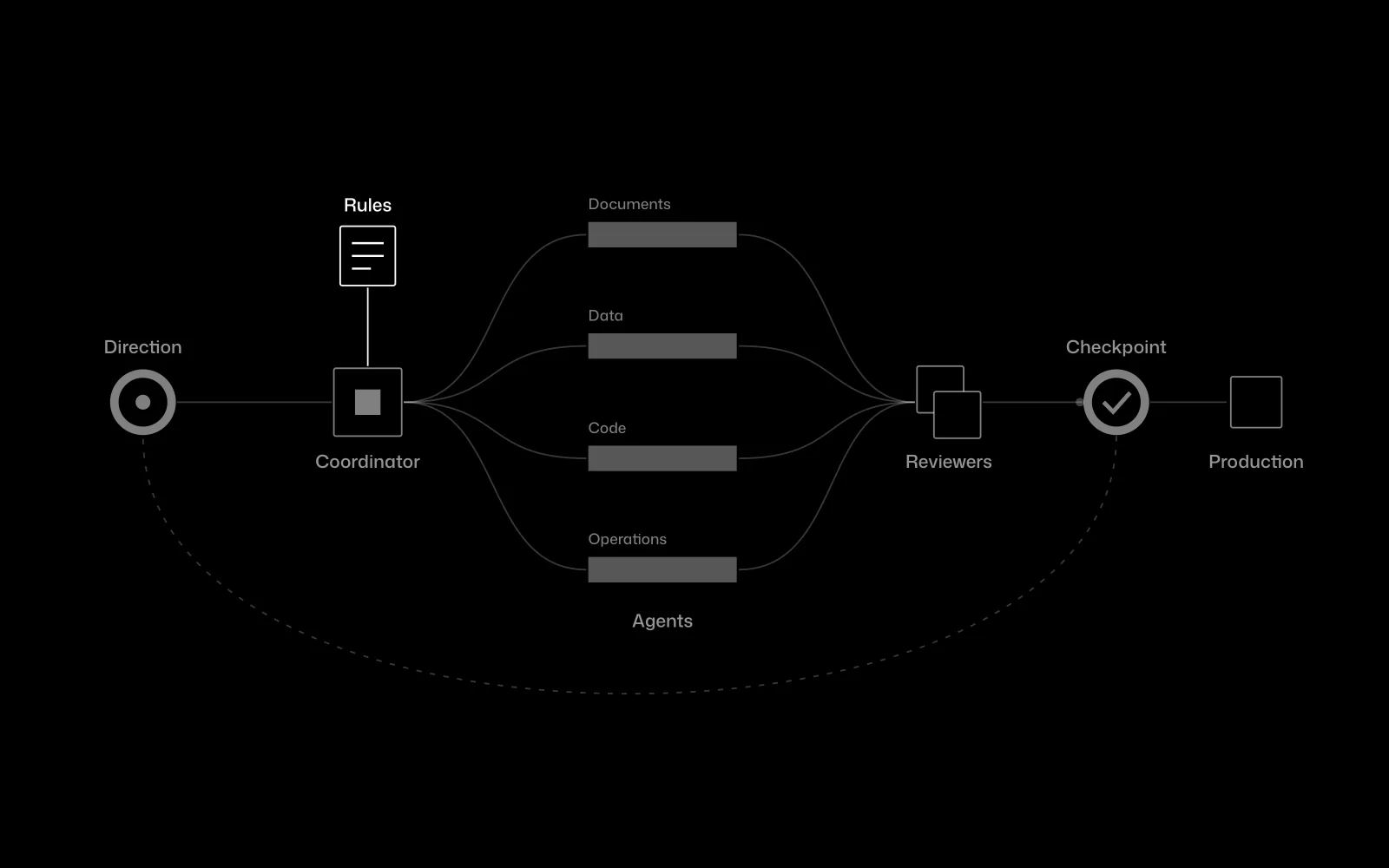
At Certia Group we integrated a team of AI agents that works on an engineering firm’s email, CRM and reports, with a person approving every step that matters. It is the same principle: data moving on its own between the tools the team already uses.
In use
Farmacta
A pharmacy’s back office, built on its paperwork
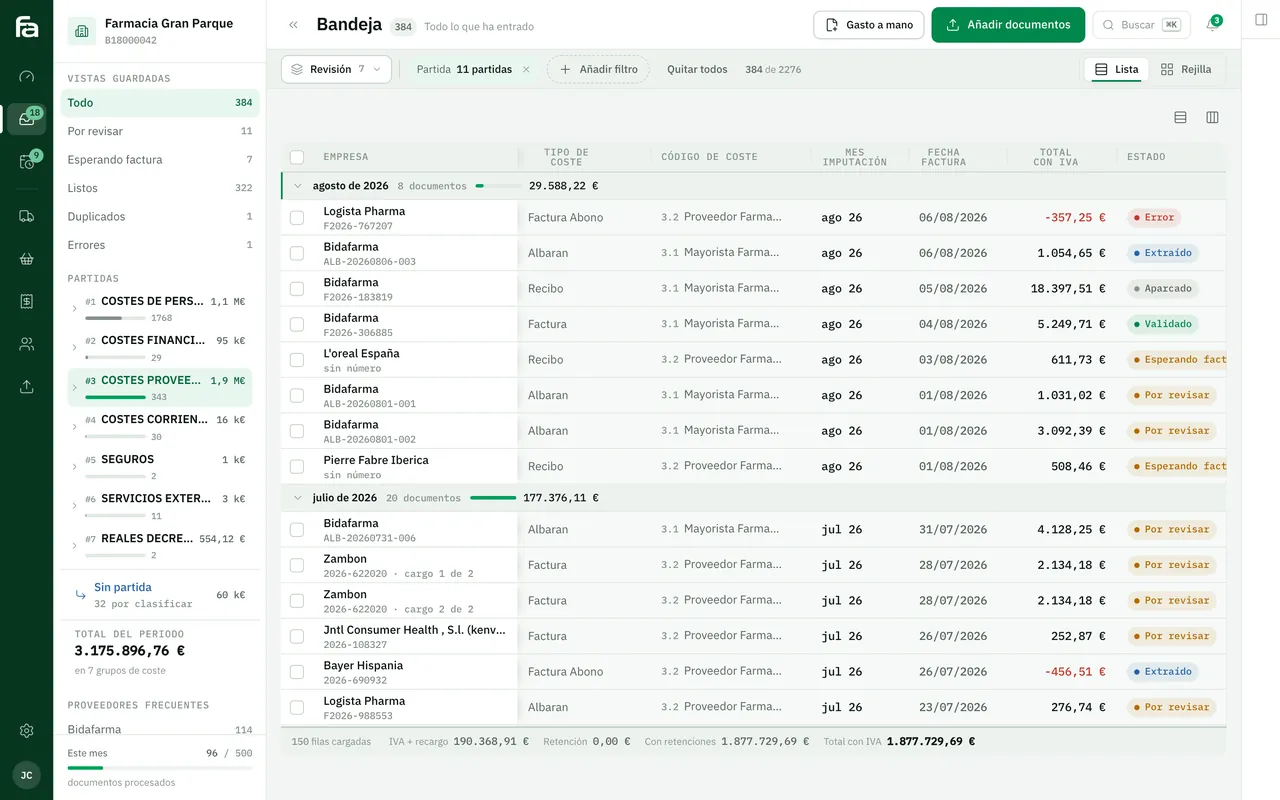
Farmacta turns PDF invoices and delivery notes into ordered data ready for review. It is the piece that avoids copying documents into a sheet by hand. It is not a Google Workspace or Excel integration.
In use at its first pharmacy
6Frequently asked questions
Can I keep using my sheet as before?
Yes. The idea is that you stop filling it in by hand, not that you stop using it. We agree which columns the system writes and which stay with your team.
What if the sheet is on my computer?
Files can be handled, but it is fragile. We usually suggest moving it to Google Drive, OneDrive or SharePoint, where official connection routes exist.
When is it better to leave the sheet and move to software?
When several people edit it at once, when versions cross or when a formula error has already cost you money. We explain it in our guide on when to move from spreadsheets to custom software.
What permissions does the application need?
The minimum for the agreed sheets and folders. You or your account administrator grant them, and they can be withdrawn whenever you like.
How much does it cost?
We do not publish prices or timelines. It tends to be one of the most contained jobs, and after the diagnosis we give you a fixed proposal.
Show us the spreadsheet that costs you most hours
With the sheet and an example of where its data comes from, we can tell you whether to connect it or replace it.
Tell us your problem