Spreadsheet or database: what changes when your data moves into tables
A spreadsheet and a database both keep information in rows and columns, which is why they look alike. They are not. This guide explains the difference with a real-world example of a sheet broken down into tables.
1One row per fact
In a database each row records a single thing that happened: an order, an order line, a payment. In a spreadsheet it is common for one row to mix several: the customer with their phone number, the order, three products in three columns and a notes cell where someone typed “50% paid”.
That mix is easy to read, but it forces you to repeat data. If the customer changes phone number, it has to be corrected in every row where it appears, and one always slips through.
2Example: the orders sheet, broken down
Picture a typical sheet with these columns: date, customer, tax ID, phone, delivery address, product 1, quantity 1, product 2, quantity 2, price, status and notes. In a database it becomes several related tables:
- Customers: name, tax ID, phone. Each customer once.
- Addresses: each delivery address, linked to its customer, because one customer may have several.
- Products: reference, description and current price.
- Orders: date, customer, address and status, chosen from a closed list.
- Order lines: order, product, quantity and price charged. There is no longer a two-product limit.
- Payments: order, date and amount. “50% paid” becomes a figure you can add up.
3What you gain
With the data organised like this, things that depended on each person’s care in the sheet change:
- Types and validation: a date is a date and a quantity is a number. You cannot save an order without a customer or with a status that does not exist.
- Relations: the order points to the customer rather than copying the name. Correcting the phone number once corrects it everywhere.
- Several people at once: each writes their own record without overwriting anyone else’s or locking the file.
- Change history: you can keep who changed what and when, and roll back.
- Permissions: the warehouse sees orders, not margins; a sales rep sees their customers, not everyone’s.
- Queries: “customers with orders unpaid for more than 60 days” is a question the database answers instantly, without chained filters.
4What does not change, and what it costs
You do not use a database directly the way you use a sheet: you need screens to enter and look up data, and that is what custom software builds. Nor does it fix data that is already wrong; duplicate customers under different names have to be cleaned up during migration.
And Excel does not disappear. To analyse, draw a chart or send a list to your accountant, the normal thing is to export from the database to a sheet. The difference is that the sheet becomes a working copy, not the place where the truth lives.
5Data that moved from scattered sheets into tables

Certero
Tender intelligence for public works
Each authority’s award history, which a contractor usually keeps in spreadsheets, lives in Certero in a relational database where authorities, tenders and companies are cross-referenced with queries. Live at certero.es.
Live at certero.es. Accepted into NVIDIA Inception.
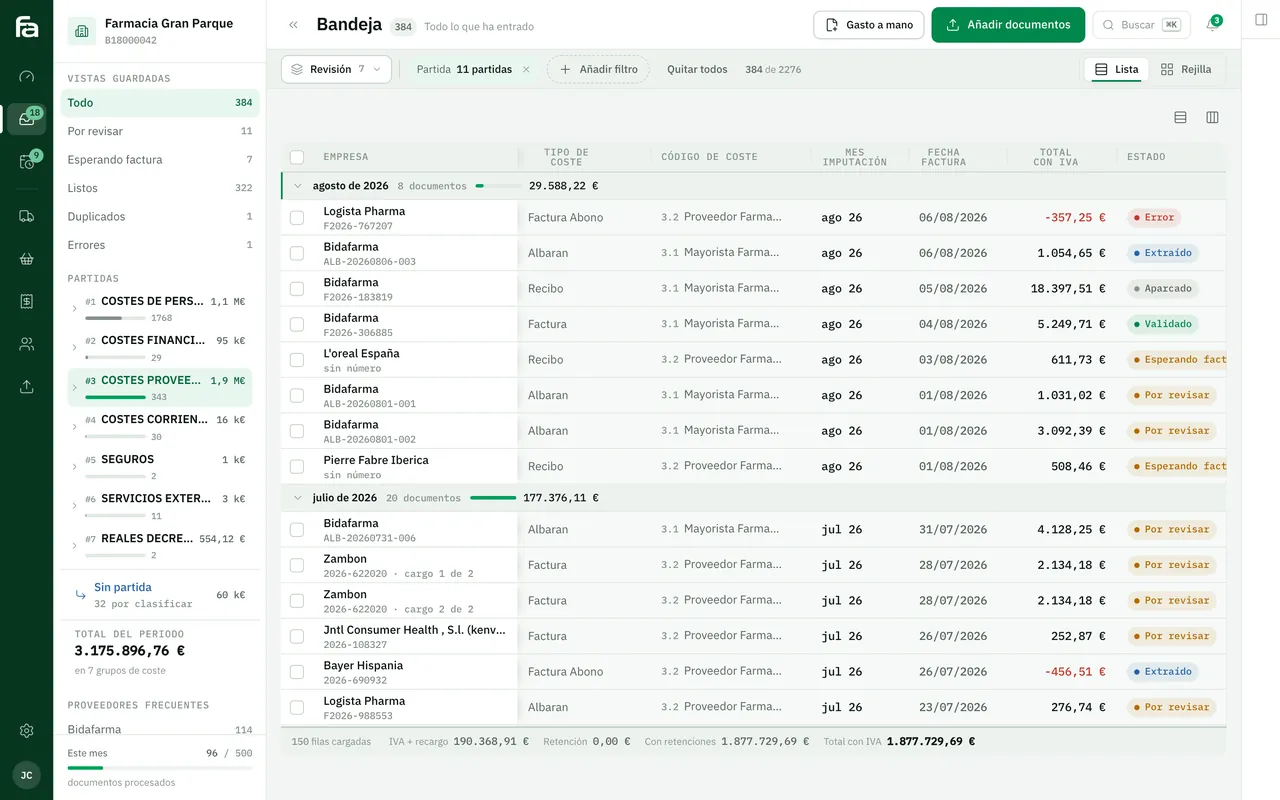
Farmacta
A pharmacy’s back office, built on its paperwork
Every delivery note and invoice Farmacta reads as a PDF ends up as records in Postgres, with its lines and its supplier, and due dates and cash flow come from there. In use at its first pharmacy.
In use at its first pharmacy
6Frequently asked questions
Is Access a database?
Yes, and it was the usual next step for many companies. Its limits show when several people work at once or from outside the office. Our guide on migrating from Excel or Access explains how to move on from there.
What should I do with my sheets before migrating?
Nothing complicated: keep a single good copy, mark which columns are filled in by hand and which are calculated, and note what the colours or abbreviations mean.
Can I still see the data in Excel?
Yes. You can export whatever you need or connect Excel to the database read-only, so that nobody edits the main information there.
How many tables would my sheet turn into?
It depends on how many different things each row mixes. You usually get one table per kind of thing that repeats: customers, products, orders, payments.
Want to see your sheet as tables?
Send us a copy with made-up data and we will send back the table design we would propose.
Tell us your problem