Custom or no-code: what each is for and when to switch
No-code tools let you build an application without programming, and for many cases they are the best choice. This guide explains where they shine, where they start to cost you and how to move to custom software without losing what you have built.
1Where no-code works very well
Tools such as Airtable, Bubble, AppSheet or Power Apps let you put together, quickly, a database with forms, a simple internal app or a prototype you can show people. Someone inside the company can run them, and changes do not wait for anyone.
- Testing an idea before investing in it: seeing whether the team actually uses the tool.
- Internal processes for a few people, with few different permission levels and moderate data volumes.
- Replacing a shared spreadsheet with something that has forms, views and the odd reminder.
- Temporary tools: a campaign, an event, a one-off stock count.
2The limits that appear with use
None of these is a flaw of the platforms: it is the price of everything coming ready-made. They vary from tool to tool and plan to plan, so check them in the current documentation of the one you use.
- Fine-grained permissions: letting a sales rep see only their customers, or an external customer see only their orders, is often hard or tied to higher plans.
- Volume: with many records, many automations or many people at once, screens and processes can slow down or hit plan limits.
- Per-user cost at scale: pricing usually grows with headcount. What was cheap with five users may not be with fifty, or with external customers.
- Platform dependence: the application works as long as the platform exists and keeps its terms.
- Exporting data and logic: data can usually be taken out; rules, formulas and automations usually cannot. If you move, that logic has to be rewritten.
3Signs it is time to move to custom software
A no-code app that gets heavy use is good news: it proves the process exists and someone needs it. The time to move usually comes with one of these: customers or suppliers need access with strict permissions, the platform bill grows faster than usage, an integration with the ERP or a bank cannot be done properly, or the business now depends on logic only its builder understands.
4Start on no-code, migrate later
It is a sensible strategy and we often recommend it. What you learn in the no-code tool (which fields are needed, which screens get used, which rules matter) is the best specification there is for custom software.
For the migration to go well, three things: export the data regularly to an open format, write the important rules down outside the platform in plain language, and list which automations exist and what triggers them. With that, the move to your own database can be planned without surprises, and the old tool can keep running while the new one is tested.
5Products that needed their own engine
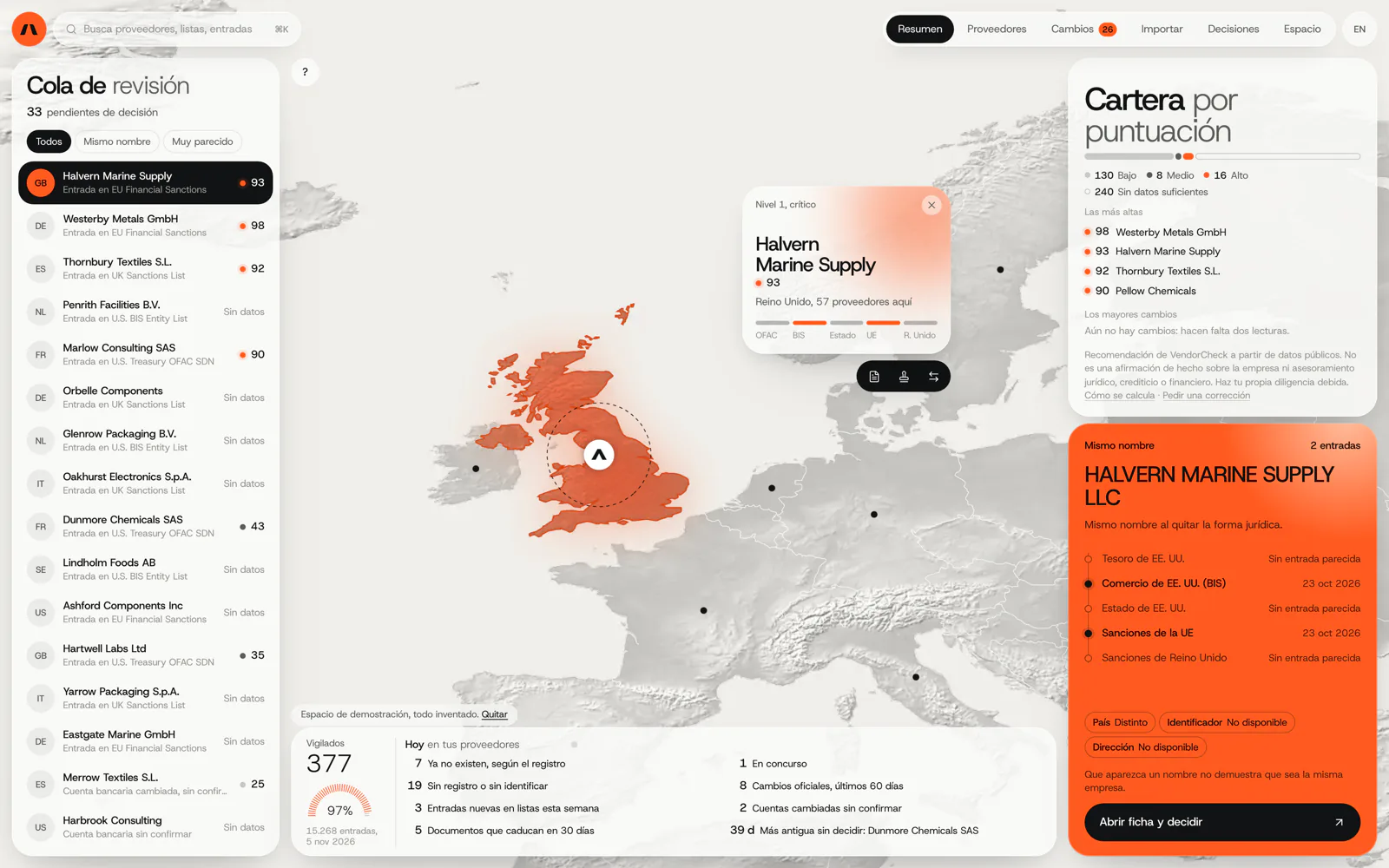
VendorCheck
Supplier screening against official sanctions lists
Checking supplier names against official sanctions lists and recording each decision with its source and date requires a dedicated matching engine. In development: the matching works; accounts and billing are not yet connected. It did not start on a no-code tool.
In development. Matching against the official lists works; accounts, billing and alerts are coded and not yet connected. The screens are shown with an invented demo workspace.
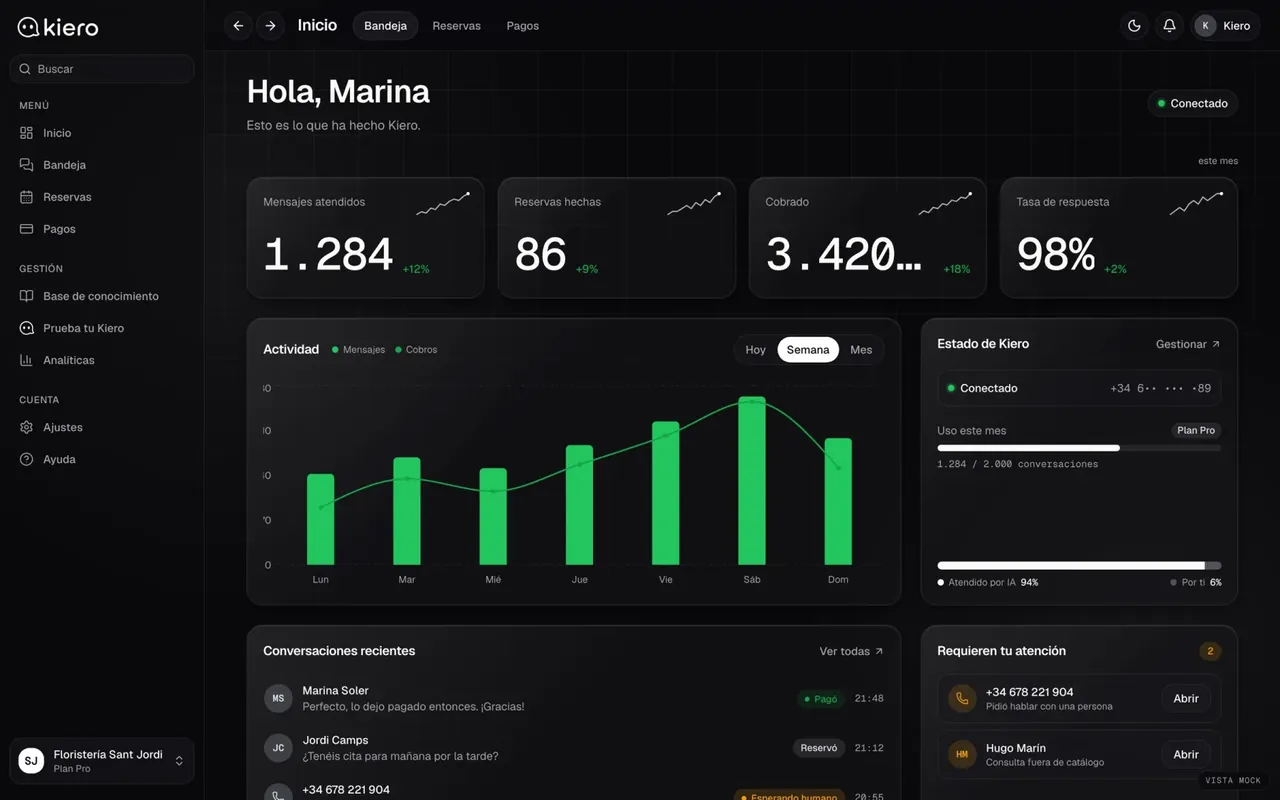
Kiero
An AI employee on the business’s WhatsApp
Kiero handles each business’s WhatsApp with its catalogue and opening hours and takes payment in the chat via Stripe Connect, which calls for its own backend. Live at kiero.es. We do not yet have a published case of migrating from a no-code platform.
Live at kiero.es
6Frequently asked questions
Do you build in no-code?
Our work is custom software. If your case is well served by a no-code tool, we will say so and explain what to watch out for, even if you build it yourself.
Can data be recovered from Airtable or AppSheet?
Generally yes, as spreadsheets or similar formats. What does not come with it is the logic: formulas, automations and permissions have to be rebuilt, which is why it pays to have them written down.
Are low-code and no-code the same thing?
Not quite. Low-code lets you add code at certain points and is usually aimed at technical users; no-code aims to need no programming at all. The limits in this guide apply to both, to different degrees.
Can I keep the no-code tool and add something custom alongside it?
Yes, if the platform has an API. It is a useful middle way, for example a customer portal with strict permissions that reads from the existing base.
What if the platform changes its terms?
That is the main risk. Exporting data regularly and keeping the logic written down elsewhere turns the problem into a planned migration rather than an emergency.
Has your no-code app hit its ceiling?
Show us what you have built and we will tell you whether to stay, add something alongside or migrate.
Tell us your problem