What an ERP is and when a small business needs one
ERP stands for enterprise resource planning. Put simply: business management software in which sales, purchasing, stock and accounting share the same data.
1One place for operational data
Without an ERP, each department keeps its own records: sales has orders in their inbox, the warehouse keeps stock in a spreadsheet and accounts keep invoices in their own program. An ERP brings those pieces into a shared database, so an accepted order reduces stock, produces the delivery note and ends up as an invoice and a ledger entry without anyone typing it three times.
In Spain, small businesses usually know it by the vendor’s name: Sage, a3ERP, Holded, Odoo, SAP Business One or Business Central, among others. Some are installed on an office server; others are used in the cloud on a subscription.
2An example: an electrical supplies wholesaler
Picture an electrical supplies wholesaler with twelve staff and two vans. An installer rings at eight to order cable and switches. With an ERP, whoever answers sees real stock, that customer’s price list and whether they have overdue invoices; once confirmed, the warehouse gets the picking list and the invoice goes out that afternoon.
Without one, the same call means checking three places and writing the order on paper for someone to key in later. That is where errors creep in: the old price, the box that was no longer there or the invoice that was never issued.
3When it really matters
If your company bills services with no stock and manages well with invoicing software and its accountant, it probably does not need one yet.
- When there is stock to control and more than one person moves it.
- When the same data is copied by hand between orders, delivery notes and invoices.
- When the accounts take weeks to reflect what happened in the warehouse.
- When you want the real margin per customer or product and cannot get it today.
4ERP, accounting software, CRM and custom software
Accounting software only records what has already happened; an ERP also runs the operations that produce it. A CRM focuses on customers and opportunities before there is an order; many ERPs include a CRM module of varying depth. And custom software does not compete with the ERP: it usually covers the company’s own process that the ERP does not handle and passes the data on in order.
5What to ask before choosing one
- Does it cover my process as it is, or will I have to change the way we work? Is that worth it?
- What does customising it cost and who does it?
- Does it have a documented API for connecting other software, and is it in my plan?
- Can I take all my data out in an open format if I change one day?
6The closest thing we have built
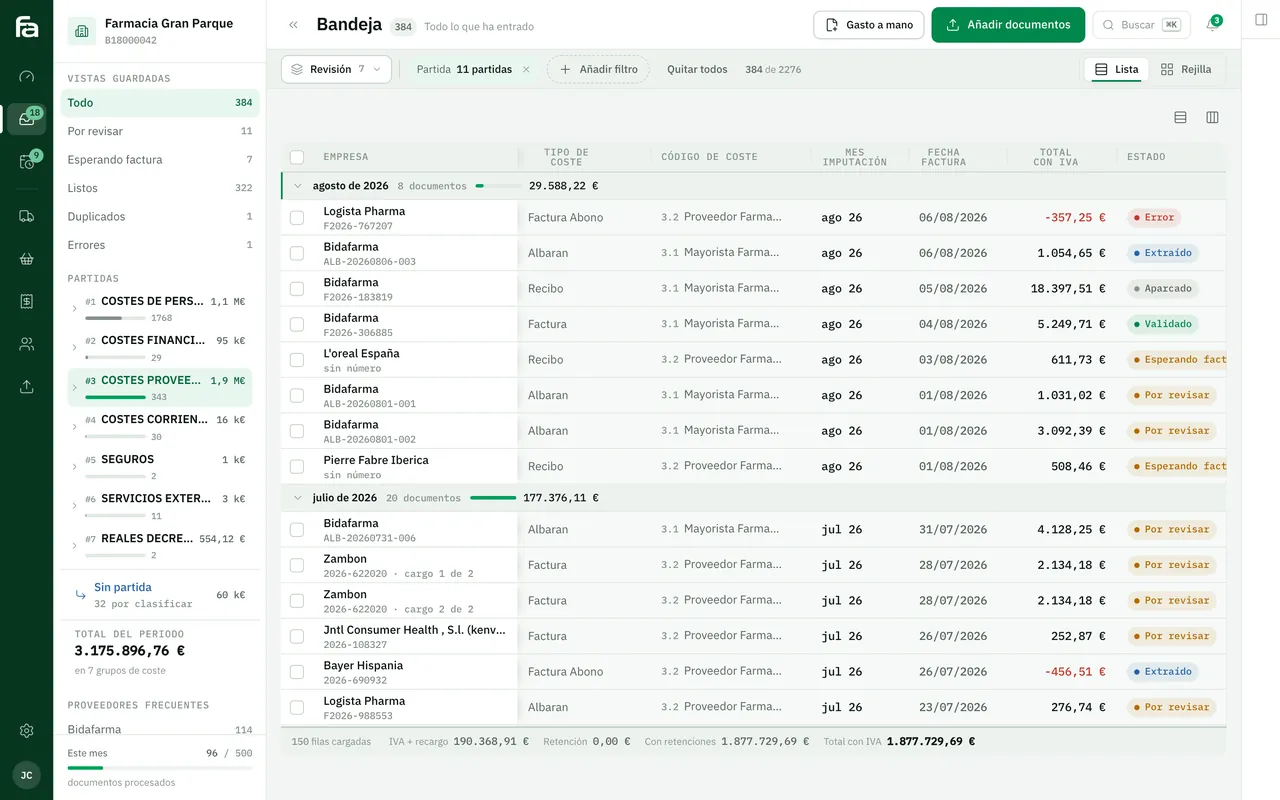
Farmacta
A pharmacy’s back office, built on its paperwork
It is not an ERP. Farmacta covers part of a pharmacy’s back office: it reads delivery notes and invoices as PDFs, and due dates, cash flow and analytics come out of them. It is the kind of piece that complements management software rather than replacing it. In use at its first pharmacy.
In use at its first pharmacy
7Frequently asked questions
Does an ERP replace my accountant?
No. It organises the data your accountant needs and saves them gathering work, but tax and accounting judgement remains theirs.
Is a cloud ERP better than an installed one?
It depends on who maintains it and how you work. In the cloud there is no server to look after, but you depend on the connection and the vendor; installed gives more control and more responsibility. We cover this on the SaaS page.
Can I have an ERP and custom software as well?
Yes, and it is the most common set-up in the work we are asked to do: the ERP for what is standard and an application of your own for what sets you apart, connected to each other.
Do you sell or implement ERPs?
No. We are not resellers for any vendor. We build what is missing around your ERP and connect it.
Does your ERP leave part of the work outside?
Tell us what is still done in spreadsheets or on paper and we will tell you whether to connect it, adapt it or leave it as it is.
Tell us your problem