Appointments and bookings: one diary for staff, rooms and resources
A garage, a hair salon, an accountancy practice or a business that hires out rooms all live by their diary. We build the booking system that understands how your business works, reminds each customer of their appointment and makes use of the slots left by people who cancel.
1An appointment is more than a time in a calendar
Generic booking tools treat an appointment as a slot belonging to one person. For many businesses that falls short. In a garage, a clutch replacement ties up a mechanic and a lift for half a morning. In a salon, a colour treatment uses the chair at the start and at the end, with a gap in the middle when the stylist can see another client. In an accountancy practice, a meeting needs the adviser and sometimes the large room. In a venue that hires out rooms, time has to be left between bookings to clear up.
So before drawing any screens, we note down with you the data that really drives your diary:
- Each service with its duration, its gaps and the margin it needs before or after.
- Who can carry out each service and which resources it blocks: room, machine, vehicle, workstation.
- Each person’s working hours, bank holidays, leave and one-off exceptions.
- How far ahead people can book and until when they can cancel without charge.
2Reminders that ask for a reply, and slots that fill again
A reminder that only informs does little. The useful kind asks for a reply: confirm, change or cancel with one tap. If the customer cancels, the slot is freed at once and the system can offer it to whoever is on the waiting list for that service, or alert reception to ring someone.
No-shows are recorded as such, not as just another appointment that happened. That shows which customers often fail to turn up and at what times, and your business decides what to do: ask for explicit confirmation, take a deposit when booking or stop offering them online booking. You set the rule; the system simply applies it consistently and keeps a record.
3One diary, whichever way the booking comes in
Bookings arrive by phone, at the counter, from the website and increasingly by WhatsApp. The usual problem is not the channel but that each channel writes somewhere different and two customers end up with the same time. The fix is for all of them to write to the same diary and for the slot to be locked the instant it is confirmed.
If many bookings come in by WhatsApp, an assistant can suggest free slots, book and confirm within the conversation. Anything that does not fit the rules (an odd request, a complaint, a customer who wants to speak to someone) goes to a person on your team with the conversation in view.
4Common mistakes when setting up a diary
We see them often when a company shows us what it already has:
- Modelling only the staff and forgetting resources, so two appointments need the same machine at the same time.
- Fixed durations for services that actually vary with the customer or the vehicle.
- Cancellations deleted instead of being kept with their reason and date.
- Online booking with no limits on how far ahead, filling the diary with appointments nobody turns up to.
5The piece that already works
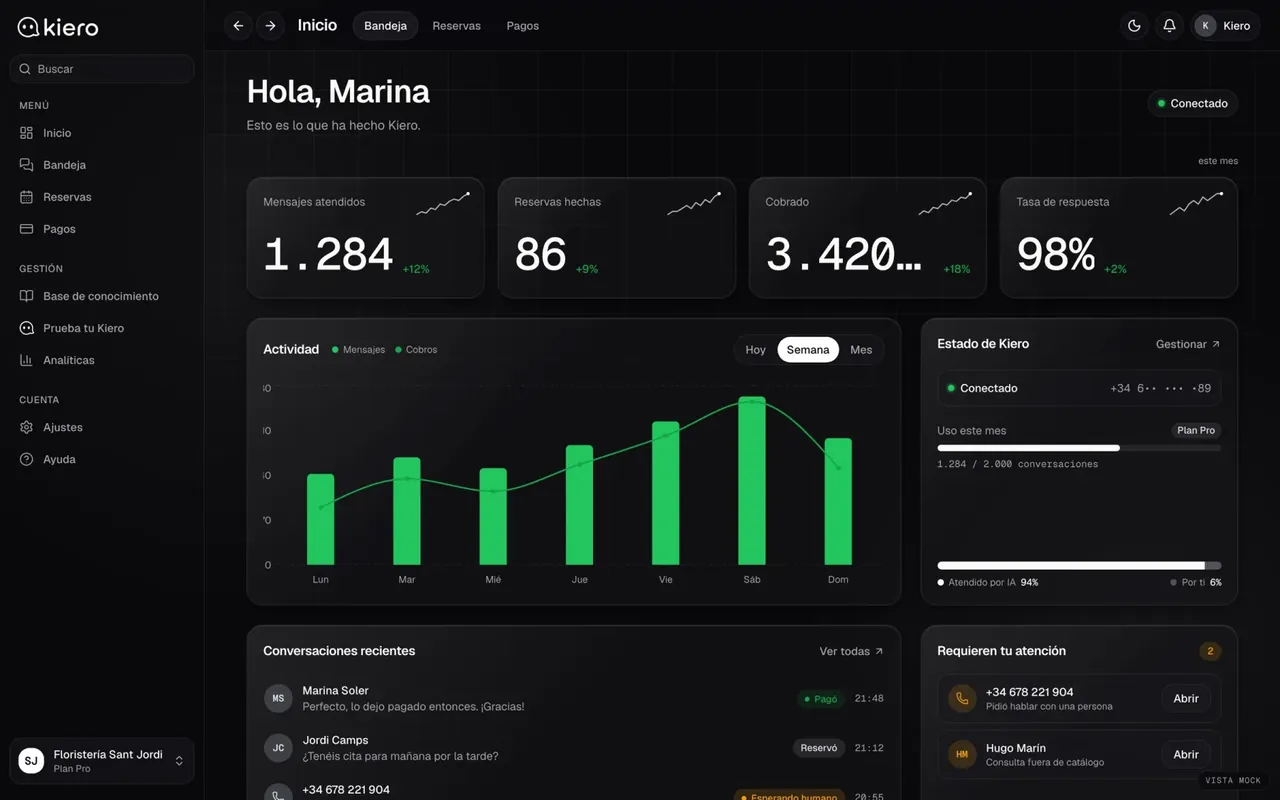
Kiero
An AI employee on the business’s WhatsApp
Kiero handles a business’s WhatsApp using its catalogue and opening hours, books appointments within the conversation and can take payment in the chat. When something needs a person, it hands it over. It is live at kiero.es. What we describe here is broader (resources, rooms, waiting lists) and we do not yet have a published case of a diary like this for a client.
Live at kiero.es
6Frequently asked questions
Do my customers have to install an app?
No. They normally book from a web page, by WhatsApp or by phone. Reminders arrive by email, SMS or WhatsApp, depending on what your customers use.
Can I take a deposit when someone books?
Yes, with a payment gateway connected. It can apply to everyone, to certain services only or only to customers with previous no-shows. What is refunded and when is up to your business.
What happens if two people book the same slot at once?
The slot is locked at the moment of confirmation. The second person sees it is no longer free and is offered other options.
Does it work for hiring out rooms or equipment by the hour?
Yes. In that case the main resource is the room or the equipment, not a person, and setup time between bookings and terms of use are added.
Can the diary be seen in Google Calendar or Outlook?
Each diary can be published so staff can view it in their own calendar. Whether changes can also flow the other way depends on the calendar, and we check before promising it.
Tell us about a difficult day in your diary
With a real day, cancellations and rushes included, we can tell you what data is needed and where we would start.
Tell us your problem