Reports that prepare themselves every week or month
Some reports are assembled by hand every Monday or on the first of the month: someone copies data, pastes it into a spreadsheet, adjusts the charts and moves it into Word. We build the system that generates them from the data, holds them for review and sends them to the right people.
1The report that eats a morning
They tend to come in three kinds. Reports to customers: the service delivered in the month, maintenance visits, incidents resolved. Reports to management: sales by rep, margins by product family, outstanding payments. And reports to a third party: the periodic justification of a grant, the figures a trade body or association asks for, the summary for the bank.
The work is nearly always the same: export from the management software, clean up columns, paste into last month’s template, check the totals add up, save as PDF and send. It takes hours, depends on one person, and it is easy for the wrong column to slip in one month.
2Questions to answer before automating it
Automating a poorly defined report only makes the mistake arrive sooner. So we start by sitting down with the person who prepares it today and the person who reads it:
- Exactly where each figure comes from: which system, which filter and which cut-off date.
- Which calculations are done by hand in the spreadsheet and which should always be done the same way.
- Which part is text written by a person and cannot be taken from the data.
- Who receives each version and whether each customer should see only their own.
- What decision the reader takes with the report; if none, perhaps it is not needed.
3What the process looks like
On the set day, the system reads the data from its source, fills in a template in your format and leaves a draft in a review queue. There a person checks the totals, adds any commentary needed and approves it. Only then is the final PDF generated and sent, at the scheduled time, to that report’s list of recipients.
Each report sent is archived exactly as it went out, with the date and who approved it, so you can answer if someone asks what figure they were sent in March. If a figure is missing on the day, for example because the month has not been closed in the accounts, the report is held and the right person is alerted.
If it helps, the system can suggest a first draft of the commentary from the figures. That text is always read and corrected by a person before it is sent.
4Report or dashboard
They are not the same thing. A dashboard is a live screen you consult when you want; a report is a closed snapshot of a period that is sent and kept. Customers and public bodies get a report. For management, the useful answer is often both: the screen for day-to-day work and the monthly report as a record.
5Projects built on the same idea
Farmacta
A pharmacy’s back office, built on its paperwork
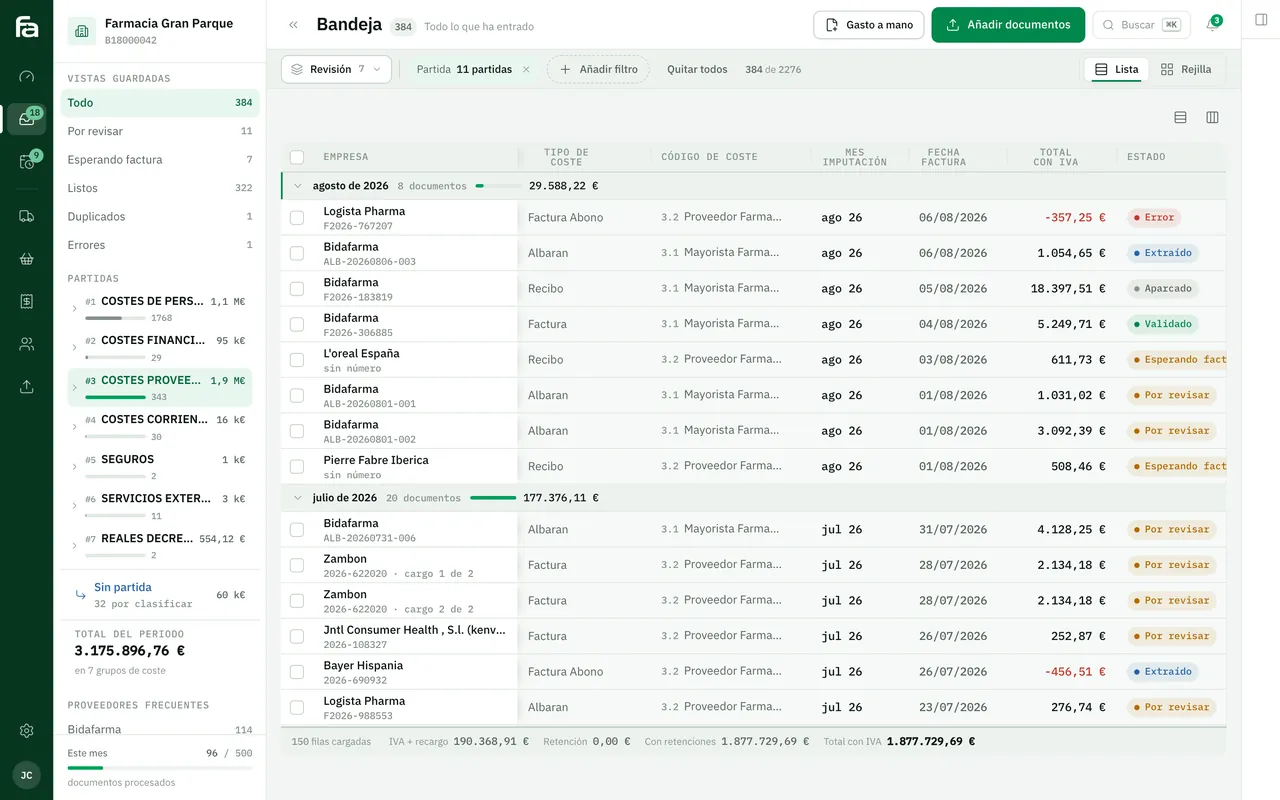
Farmacta reads a pharmacy’s delivery notes and invoices and turns that data into due dates, cash flow and analytics without anyone copying it into a spreadsheet. That is the data side of an automated report; scheduled sending to third parties is not part of Farmacta.
In use at its first pharmacy

Certero
Tender intelligence for public works
Certero crosses each public authority’s history with the tender documents and prepares a recommendation for each bid from public data. It is another example of turning data into a decision document. We do not yet have a published case of scheduled reports for a small business.
Live at certero.es. Accepted into NVIDIA Inception.
6Frequently asked questions
Can it produce Word or Excel as well as PDF?
Yes. PDF is the norm for sending because it cannot be edited, but the data spreadsheet or an editable document can be generated too if the recipient needs it.
Can each customer receive only their own data?
Yes. One report per customer is generated from the same template and sent to their contacts. It is one of the cases where the most hours are saved.
Can we change the template without depending on you?
Changes to wording, logo or recipients are best made by you, and we set it up for that. Adding a new figure that comes from somewhere else usually does need a change to the system.
What if the data is spread across several systems?
That is normal. Part of the work is connecting each source; if one of them is a spreadsheet filled in by hand, we look at it in the diagnosis, because that is usually where errors start.
How much does it cost and how long does it take?
We do not publish prices or timelines. It depends mainly on how many data sources need connecting; after the diagnosis we give you a fixed-scope proposal.
Send us the last report you built by hand
With the document and a list of where your figures come from, we can tell you what can be generated automatically and what a person should keep writing.
Tell us your problem