Digital delivery notes with signature: proof of delivery on a phone
The delivery note is the piece of paper that travels most and gets lost most: it rides in the van, is signed in a hurry and comes back crumpled, or not at all. We build the app with which the driver shows it, the customer signs it on the phone and the office has it straight away.
1What goes wrong with paper delivery notes
The problem is rarely the signature. It is everything that happens between signing and someone needing it. What we see again and again in companies that deliver:
- Delivery notes reaching the office days later, when invoicing was already due.
- Quantities corrected in biro that nobody enters, so the invoice shows what was ordered rather than what was delivered.
- Customer remarks («two boxes missing», «arrived damaged») that stay on paper and never open an incident.
- Illegible signatures with no name of who received the goods, impossible to rely on in a dispute.
- Scanned copies named by date that nobody can find when the customer complains.
2How an app for signing delivery notes works
The driver opens the day’s route on their phone, with the delivery notes already prepared by the office. At each stop they record what is actually delivered: if units are missing or the customer refuses something, they correct it there and then, with a reason. The customer then signs on the screen and types their name and, if needed, a photo of the unloaded goods is added.
When the delivery is closed, the note is locked so it cannot change later, with the time, the location if you choose, and a PDF copy emailed to the customer. With no signal, the app stores everything and sends it when the connection returns.
In the office the signed note appears at once. What was delivered moves to the list of billable items with the real quantities, and each remark opens an incident assigned to someone instead of staying in a margin.
3What a signature on a screen is worth
It is widely used for everyday proof of delivery, and its value depends mainly on the evidence kept around it: the exact document signed, who signed it, when and where, and the copy sent to the customer. If a particular document needs a stronger signature, you decide that with your adviser and we configure it; we do not give a legal opinion on each case.
This page covers delivery notes only. Signing quotes, job sheets and other sign-offs has its own process page.
4Connected to what you already use
Delivery notes are usually created in your management software. The usual approach is to read them from there, take them to the phone and send back the signed delivery with its quantities, so the invoice comes out of the same program as always. If your program cannot be connected to, we look with you for the least fragile route before proposing anything.
5The closest thing we have built
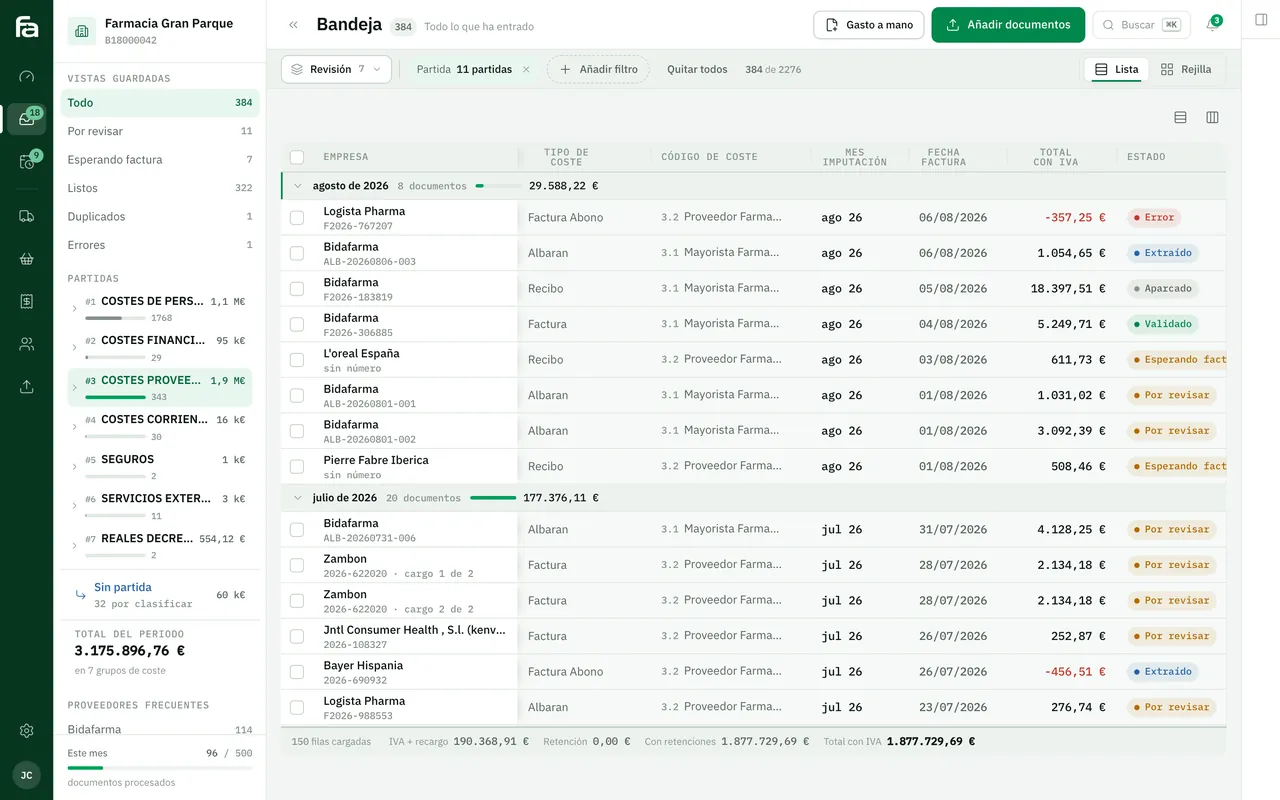
Farmacta
A pharmacy’s back office, built on its paperwork
We do not yet have a published case of delivery notes signed on the road. The closest is the other end of the delivery note: Farmacta reads the PDF delivery notes and invoices a pharmacy receives and gets them ready for review. It is in use at its first pharmacy.
In use at its first pharmacy
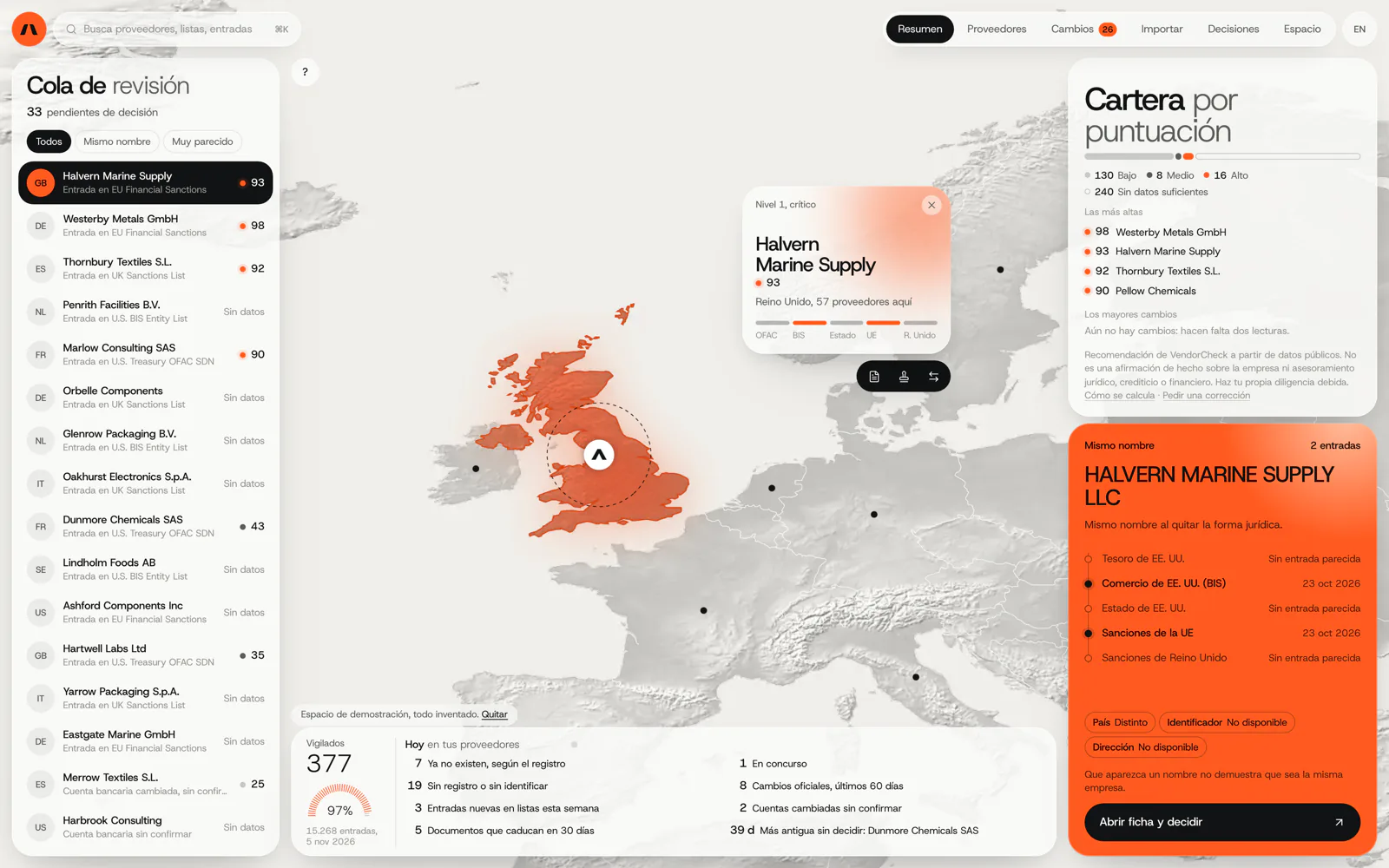
VendorCheck
Supplier screening against official sanctions lists
VendorCheck records each decision with its source and date, the same idea we apply to a signed delivery: what counts is the evidence kept around it. It is in development and is not a delivery note system.
In development. Matching against the official lists works; accounts, billing and alerts are coded and not yet connected. The screens are shown with an invented demo workspace.
6Frequently asked questions
Does the customer need to install anything to sign?
No. They sign on the driver’s phone. If preferred, they can also receive a link and sign from their own phone, for instance when goods are left with nobody present.
What if the driver has no signal?
The app keeps the delivery and the signature on the phone and sends them as soon as there is a connection. The time recorded is when it was signed, not when it was sent.
Can I keep printing delivery notes for customers who want them?
Yes. Running both for a while is normal. The customer always receives a PDF copy and, if they want paper, it is printed.
What if the customer refuses to sign or rejects part of the order?
The refusal or rejection is recorded with its reason, the time and, if you wish, a photo. That opens an incident and stops you invoicing what was not delivered.
Does it work for multi-drop routes and several drivers?
Yes. Each driver sees only their route, and the office sees the status of every delivery of the day at once.
Show us a delivery note that came back wrong
With a couple of real delivery notes, corrected or lost, we will tell you what signed delivery on a phone would look like in your company.
Tell us your problem