A B2B ordering portal your trade customers will actually use
A restaurant, a hardware shop or a garage does not buy like a consumer: it orders the same items every week, at its own prices and on account. We build the portal where they do it themselves in a minute, and the order reaches your management software without anyone retyping it.
1Why an ordinary online shop does not work
A shop built for consumers is designed for discovery: big photos, a basket, card payment. The trade customer already knows what they want. They know the codes, order by the case or the pallet, have agreed prices, pay at thirty or sixty days and need several people in their business to be able to order, each within their own limits.
If you make them browse a two-thousand-item catalogue to find their usual forty, they will go back to email and the phone. How their price is calculated is covered on the wholesale page; here we deal with the screens where they order and what happens next.
2The screens that actually get used
In a B2B portal that works, most orders are placed from very few places:
- Quick order: the customer types the code and quantity, line after line, or pastes a list from their spreadsheet.
- My usual items and repeat order: last week’s order, editable, with one button.
- A catalogue with their price and terms, not the general price list, and with their own product codes if they use different ones.
- Availability and an estimated delivery date based on the order cut-off time and their delivery round.
- Warnings for minimum order, case multiples and substitutes when something is out of stock.
- The status of each order and downloadable delivery notes and invoices, so they stop calling to ask.
3After they press “Send”
The order is not accepted blindly. Before it goes through, the system checks the customer’s credit limit and any overdue invoices, and anything that fails is held for approval by whoever you choose. Everything else enters your management software as a sales order, with its number, and the customer receives a confirmation of what will be delivered.
It is worth deciding early who owns each piece of data. Usually prices, stock and customers stay in the management software and the portal reads them as often as the business needs, and invoices are still issued by that software. The customer can amend the order until the cut-off time; after that, changes go through a person.
4Getting customers to use it
The risk with a B2B portal is not technical: it is that nobody logs in. So we start with a small group of customers who already order by email, set them up with their usual items preloaded and show them the portal on a call. Sales reps need to see that portal orders count towards their territory, or they will treat it as a threat. And the phone stays open for anyone who does not want to change.
- Typical mistake: a beautiful catalogue without the codes customers order by.
- Typical mistake: prices or stock a day out of date, which loses trust in the first week.
- Typical mistake: a long sign-up form, when the customer is already in your management software.
5The closest thing we have built
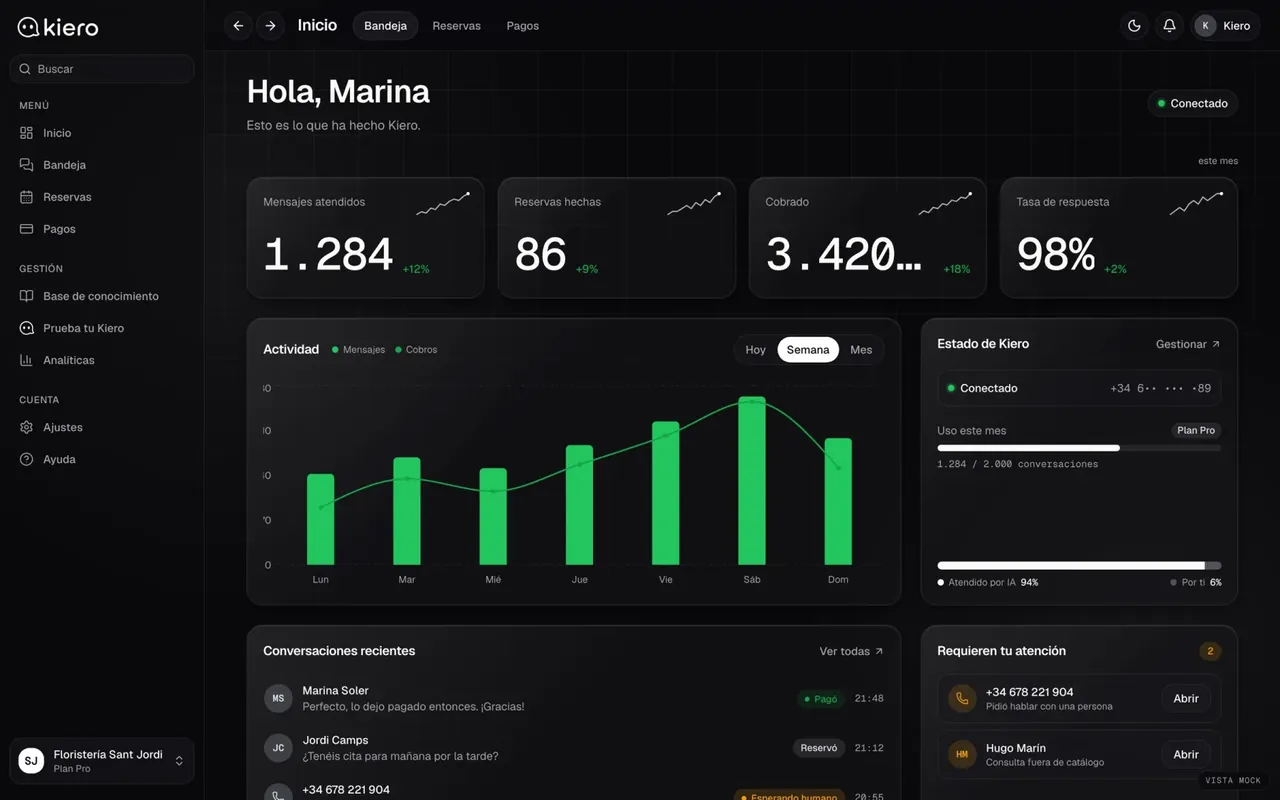
Kiero
An AI employee on the business’s WhatsApp
Kiero handles WhatsApp conversations using each business’s catalogue and takes payment inside the chat. It is another channel for the same order: some trade customers would rather send a message than open a portal, and both can end up in the same inbox.
Live at kiero.es
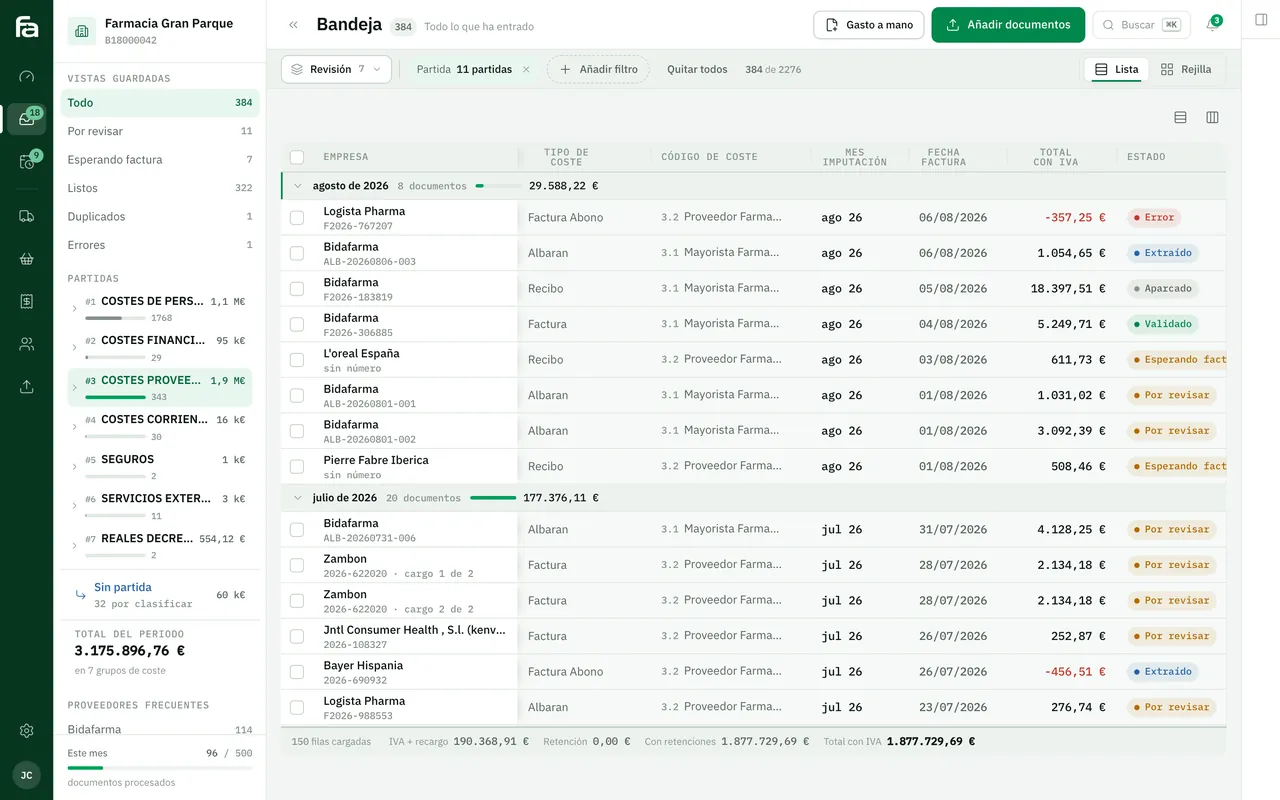
Farmacta
A pharmacy’s back office, built on its paperwork
Farmacta checks, from the pharmacy’s side, what was invoiced against what was ordered and the agreed price. It shows how much work an order with the wrong price creates. We do not yet have a published B2B portal case.
In use at its first pharmacy
6Frequently asked questions
Why not use our online shop’s B2B module?
If it covers customer-specific prices, several users per customer and the connection to your management software, use it. We build to measure when the rules or the software on the other side do not fit what the module offers.
Can several people from the same customer place orders?
Yes. Each with their own login, their delivery addresses and, if needed, an amount above which the order needs their manager’s approval.
Can customers pay by card?
It can be added for cash customers or one-off orders. In B2B the portal usually respects the payment terms each customer already has.
Does it work on a phone?
Yes, and it matters: many orders are placed standing up in a stockroom or a kitchen. Quick order and repeat order are designed for the phone first.
Bring us a week of orders
With a real week of emails and calls we can see which customers would order through the portal from day one and what it would need to have for them.
Tell us your problem