A supplier portal to stop chasing paperwork by email
Every supplier generates email: onboarding documents, certificates that expire, invoices, confirmation of each order and the eternal question of when they will be paid. We build a portal where the supplier does all of that themselves and your team only reviews.
1What travels by email with every supplier today
Registering a supplier usually means collecting their tax details, a bank account ownership certificate, sometimes certificates showing they are up to date with the Spanish Tax Agency and Social Security, an insurance policy and, depending on the sector, approvals or technical data sheets. It all arrives as loose attachments and is filed in a folder nobody looks at again until something expires.
Then come the orders, sent by email and confirmed or not; the invoices and delivery notes, which land in different inboxes; and the calls from the supplier’s accounts team asking about a payment. Someone on your team handles every one of those conversations.
2What the supplier sees when they log in
The portal is not a corporate website: it is a working screen with its own login for each supplier, who only sees their own information.
- Their record and documents, each with its expiry date and a reminder before it lapses.
- Orders awaiting confirmation, with the date you need and space to propose another.
- A place to upload each invoice and its delivery note against the order they belong to.
- The status of each invoice: received, matched, approved, payment scheduled or paid.
- A message log per order, instead of scattered email threads.
3Approve before you pay
Supplier approval is the part most likely to be done halfway. We propose a list of requirements by supplier type (a haulier is not asked for the same as a manufacturer), and the supplier does not become active until someone on your team has signed off each document.
Two checks deserve special attention. The first is screening the supplier’s name against official sanctions lists and company registers, especially if you buy from outside Spain. The second is a change of bank account: it is a well-known route for fraud, so the portal can hold the change until it is confirmed through a different channel and approved by two people.
4How it fits with what you already have
Orders come out of your management software and approved invoices go back into it; the portal connects both ways so nothing is typed twice. Invoices the supplier uploads as PDFs can be read automatically, with a person reviewing anything that does not match the order: we cover that on the supplier invoice capture page.
It is a separate piece from the customer portal, although both are built the same way. And if business-to-business e-invoicing applies to you, the portal should be designed to receive it; your adviser should check the timetable and required format in the official source.
5Where we have already solved parts of this
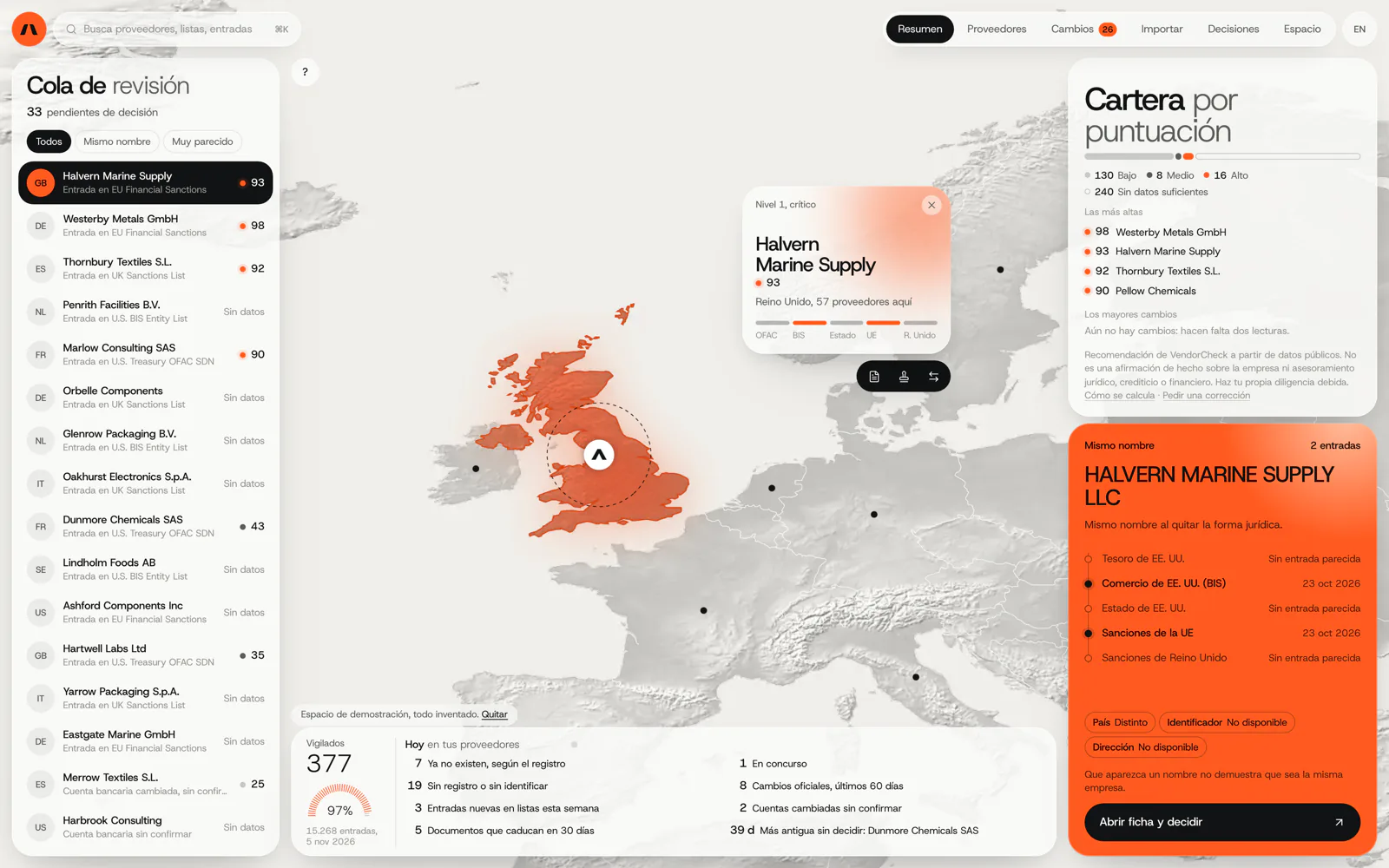
VendorCheck
Supplier screening against official sanctions lists
VendorCheck screens suppliers against the official sanctions and export-control lists of the United States, the European Union and the United Kingdom and against company registers, and records each decision with its source and date. That is the approval check in this portal. It is in development: matching works, while accounts, billing and alerts are not yet connected.
In development. Matching against the official lists works; accounts, billing and alerts are coded and not yet connected. The screens are shown with an invented demo workspace.
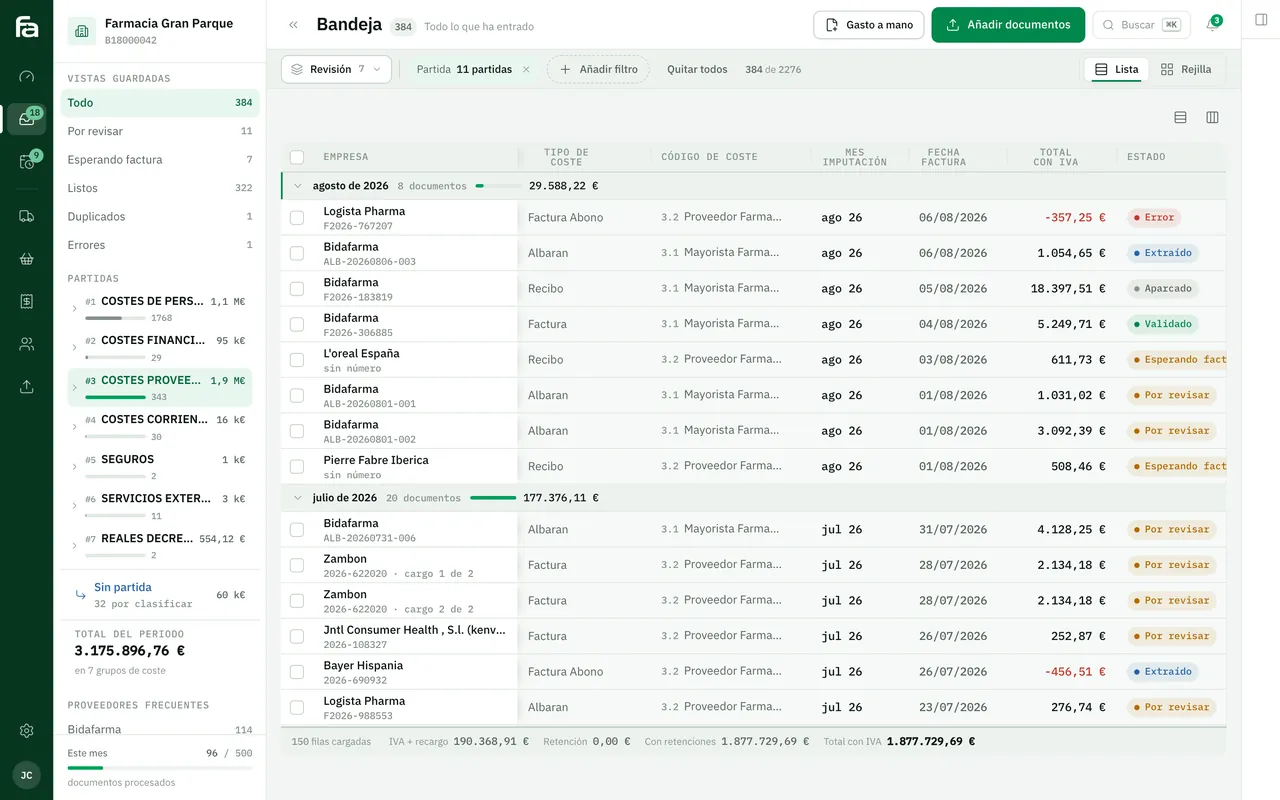
Farmacta
A pharmacy’s back office, built on its paperwork
Farmacta reads invoices and delivery notes from wholesalers and laboratories and leaves them ready for review. That is the invoice intake side, although in Farmacta they arrive as PDFs rather than through a portal. We do not yet have a published case of a supplier portal.
In use at its first pharmacy
6Frequently asked questions
What if a supplier refuses to use the portal?
Some will. The practical answer is for your team to upload on their behalf whatever they send by email, so everything ends up in the same place. Over time, suppliers who want to know when they will be paid tend to log in themselves.
How do you stop someone changing a supplier’s bank account?
The change is not applied immediately: it is held, your team is alerted, it is confirmed with the supplier by phone on a number you already had, and two people approve it. Everything is logged.
How is it different from a customer portal?
In who logs in and why. A customer portal lets customers order from you and check what you have sold them; a supplier portal lets suppliers hand over documents, confirm orders and follow their payments. Both can be built on the same base.
Does it work for subcontractors on construction sites?
Yes, subcontractor paperwork is one of the clearest uses. Which documents to request from each one is for your adviser or health and safety officer to define; the portal requests them, stores them and warns when they expire.
Can a supplier see what we pay others?
No. Each supplier only accesses their own record, orders and invoices; permissions are enforced in the database, not just on screen.
Tell us how you register a supplier
What you ask for, where you keep it and who checks it. From that we can tell you which part of the portal would take the most email off your plate first.
Tell us your problem