Automatic supplier invoice capture, with every step reviewed
Every supplier invoice goes through the same hands: someone receives it, keys it in, checks it was ordered and delivered, gets someone to approve it and posts it. We build the system that does the mechanical part of that journey and takes each invoice to the person who has to decide.
1Where invoices come in
Rarely through one door. Some suppliers send a PDF to the general inbox, others to the person who placed the order, others leave it on their portal to be downloaded, and a few still hand it over on paper with the goods. Sometimes the same invoice arrives two ways and is entered twice.
The first step is a single intake: an email address, a folder and a way to photograph paper, so everything received is stored with its arrival date and source. If an invoice with the same number and the same tax ID already exists, you are warned before it is entered.
2What is read from each invoice and how it is checked
From each invoice the system extracts the header and the lines, and checks the figures against the document itself before proposing them:
- Issuer, Spanish tax ID (NIF), invoice number, issue date and due date.
- Taxable bases by VAT rate, VAT amounts, withholding or equivalence surcharge where present, and total.
- Lines with reference, description, quantity, price and discount.
- Payment method and the supplier’s bank account.
- Checks: that bases plus VAT equal the total, that the tax ID has a valid format and that the bank account is the one the supplier had before. A change of account is never accepted without someone confirming it through another channel, because it is a well-known form of fraud.
3Order, delivery note and invoice: three-way matching
Reading the invoice correctly is half the job. The other half is knowing whether it should be paid. For that it is compared with the purchase order your company placed and with the delivery note for what actually arrived: units, prices and agreed discounts.
Differences are handled by rules you set. A rounding difference goes through; a price that differs from the agreed one, or units that never arrived, stop the invoice and send it to whoever made the purchase. Partial deliveries and credit notes are linked to their original invoice so nothing is paid twice or left undeducted.
4Approval and posting
Every company approves in its own way, so the workflow is set up around yours: by amount, cost centre, expense type or supplier. The approver sees the original invoice with the order and delivery note beside it, and approves or rejects with a comment from a computer or a phone.
For posting, the system suggests the expense account and VAT treatment based on what was done with that supplier’s previous invoices, and your team confirms it. The entry or file then goes to your accounting software without retyping. No invoice reaches the books without a person having seen it.
5Where this process comes from
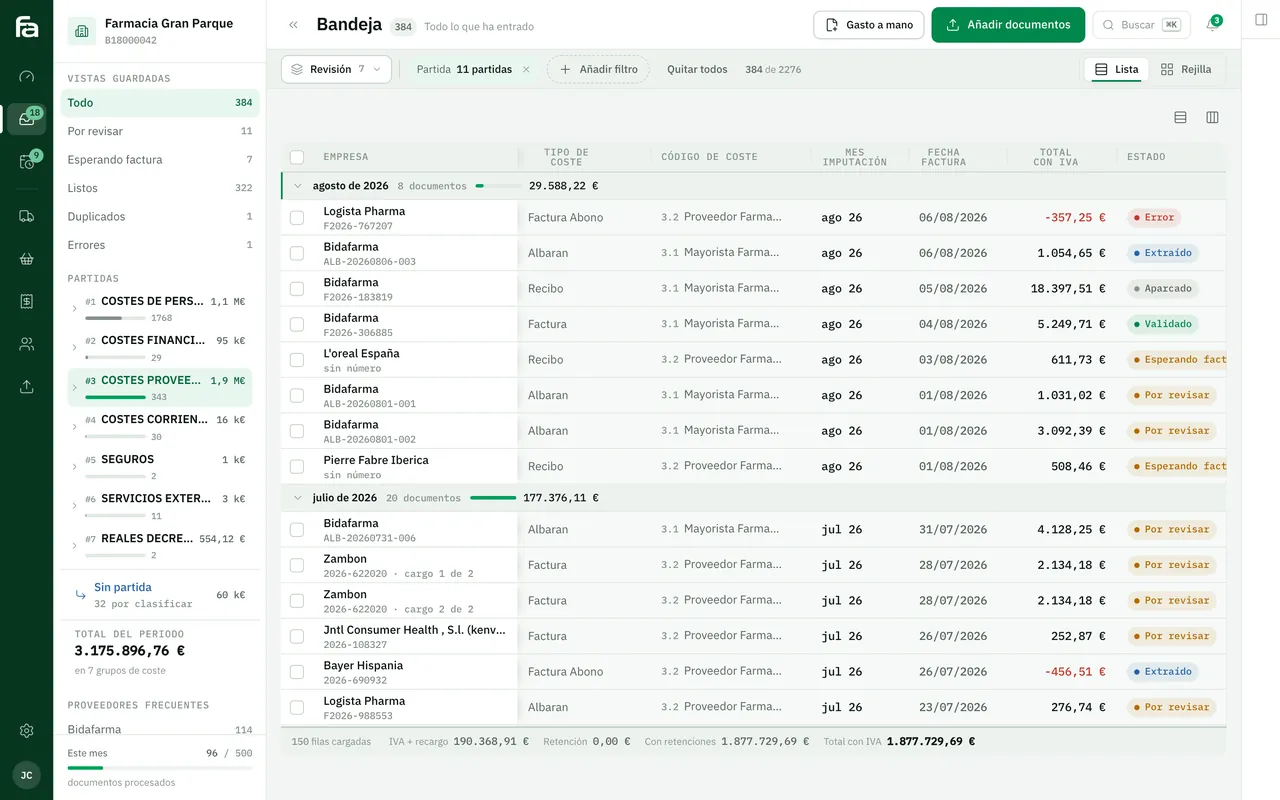
Farmacta
A pharmacy’s back office, built on its paperwork
Farmacta reads invoices and delivery notes from wholesalers and laboratories as PDFs, extracts the accounting data, matches what was invoiced against what was ordered and received, and leaves anything that does not match in a review tray. It is in use at its first pharmacy. Outside that sector we do not yet have a published case.
In use at its first pharmacy
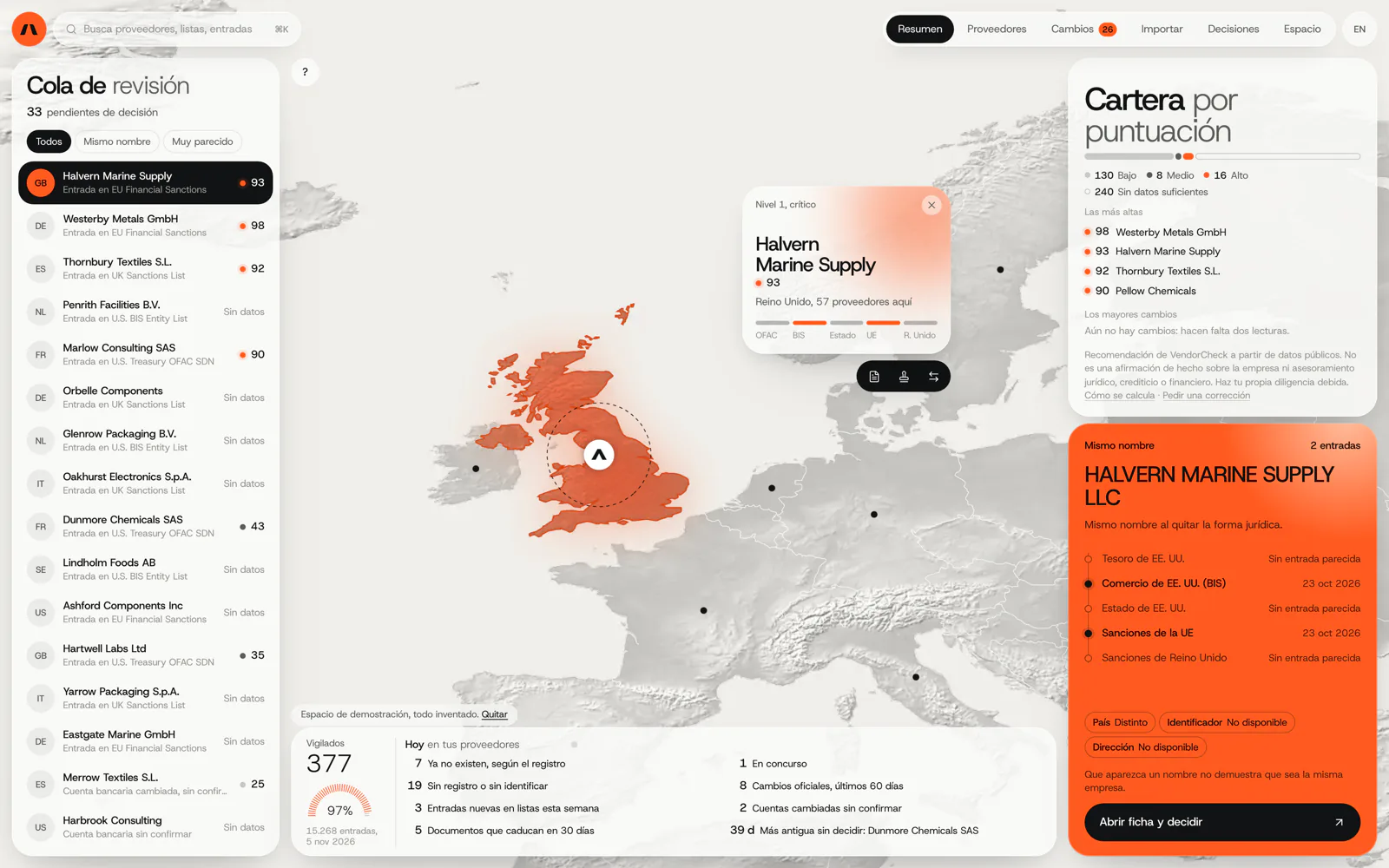
VendorCheck
Supplier screening against official sanctions lists
VendorCheck screens a supplier before payment: whether it appears on official sanctions lists and whether the company exists in company registers. It fits as an upfront control in an accounts payable workflow. It is in development; matching against the lists works.
In development. Matching against the official lists works; accounts, billing and alerts are coded and not yet connected. The screens are shown with an invented demo workspace.
6Frequently asked questions
Does it also read paper or photographed invoices?
Yes, if the image is legible. Anything that cannot be read with confidence is flagged in the review tray with the image beside it, rather than entering with an invented figure.
How does it avoid entering the same invoice twice?
It checks the issuer’s tax ID and the invoice number against everything already entered, and also similar amounts and dates, in case the number is written differently.
What changes with mandatory business-to-business e-invoicing?
When invoices arrive in a structured format such as Facturae, they are read directly rather than interpreted from a PDF, and the rest of the process (matching, approval, posting) stays the same. For the obligation and its timetable, ask your adviser and check the official source, because dates can change.
Who decides the account for each expense?
Your team or your accountants. The system only suggests, based on what was done before with that supplier, and learns from corrections.
Which accounting software does it work with?
Any that can import entries or files, which covers most of the packages common in Spain. We check with your software and version before proposing anything.
Send us a week of incoming invoices
With a real week of invoices, just as they arrive, we can tell you what would be read automatically and where your approval workflow gets stuck today.
Tell us your problem